

Are you looking for a 1Password coupon code in 2026? 1Password regularly runs discounts of up to 50% off for new users, and the 14-day free trial means you can test everything risk-free before paying a cent. This guide covers every legitimate way to save on 1Password right now.
✅ Active 1Password Coupon Code (September 2026)

Best Deal
Free Trial
Individual Plan
Families Plan
Teams Starter
What Is 1Password?
1Password is one of the most trusted password managers in the world, used by millions of individuals, families, and businesses to store, generate, and autofill strong passwords across all devices. It uses zero-knowledge architecture with AES-256 encryption, meaning even a breach of 1Password’s own systems would leave your data safe.
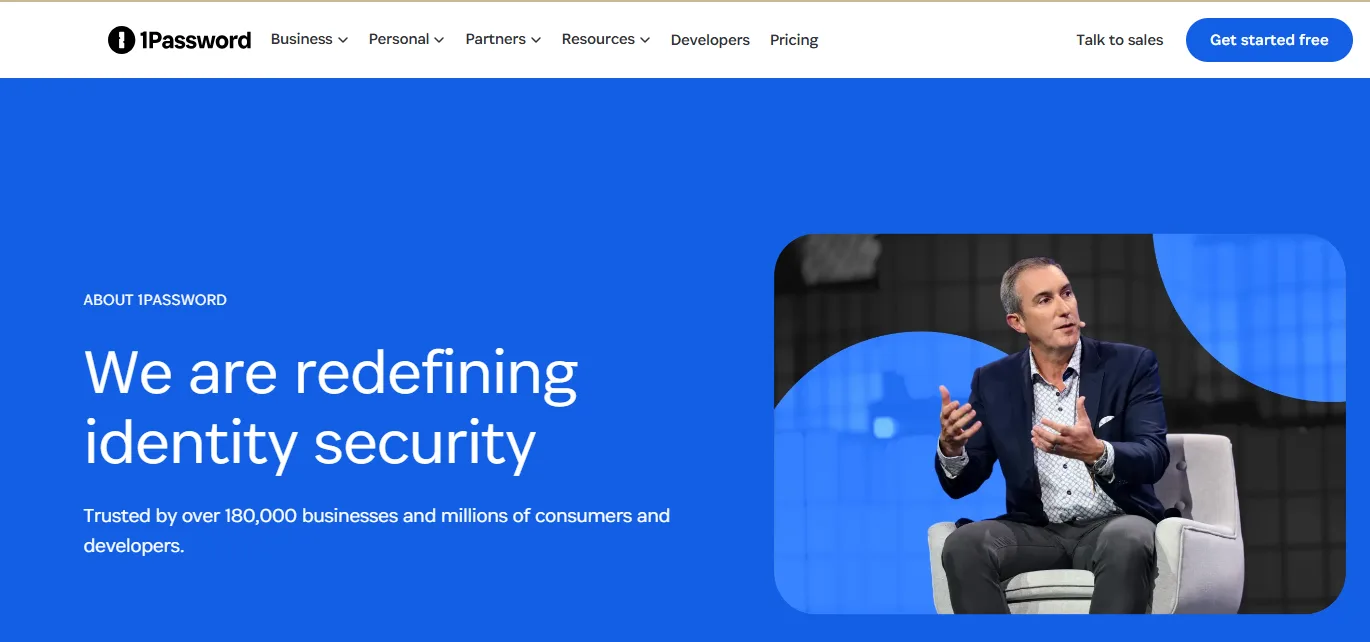
Beyond passwords, 1Password stores credit card details, secure notes, SSH keys, API tokens, and sensitive documents. The Watchtower feature integrates with Have I Been Pwned to alert you if any of your passwords have appeared in data breaches, and it flags weak or reused passwords across your vault.
1Password works on Mac, Windows, Linux, iOS, Android, and in every major browser including Chrome, Firefox, Edge, Brave, and Safari. Forrester Research found that 1Password delivers a 206% return on investment for businesses — the cost savings from preventing a single security incident typically far exceed the annual subscription cost.
1Password Pricing Plans 2026
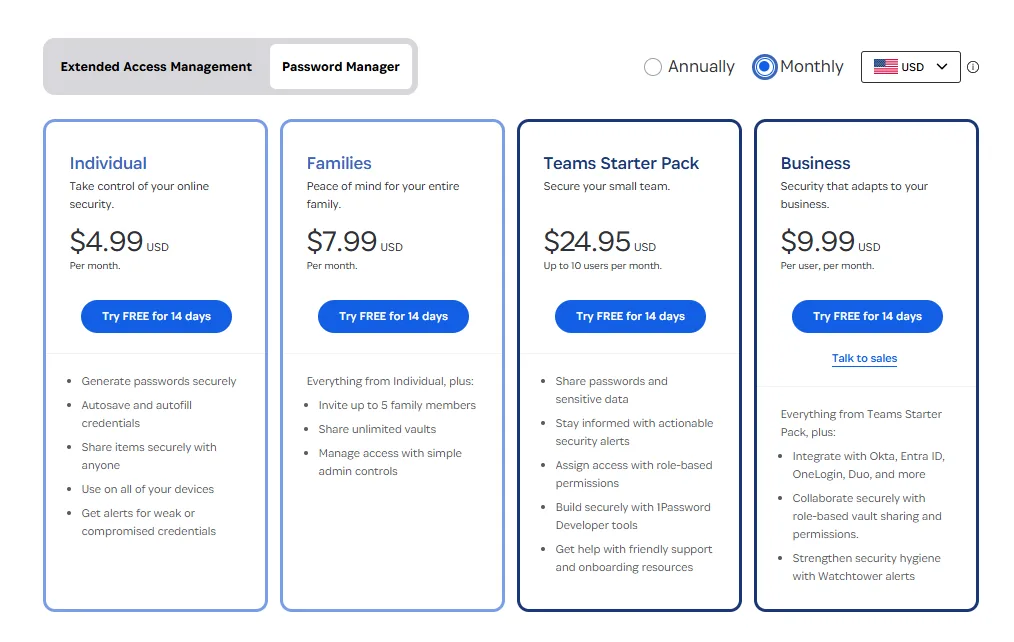
Plan | Monthly Price | Annual Price | Best For |
Individual | $4.99/month | $2.99/month ($35.88/year) | Solo users |
Families | $6.99/month | $4.99/month ($59.88/year) | Up to 5 members |
Teams Starter | $19.95/month flat | Annual available | Up to 10 users |
Business | $9.99/user/month | $7.99/user/month | Scaling teams |
Enterprise | Custom | Custom | Large organisations |
Individual Plan: Covers one user with unlimited password storage, unlimited devices, Watchtower breach alerts, 1GB encrypted file storage, and 24/7 email support. Starting at $2.99/month on the annual plan, it’s one of the more affordable premium password managers available.
Families Plan: Covers up to 5 family members for a flat $4.99/month billed annually — that’s under $1 per person per month. Each member gets their own private vault, plus shared family vaults for things like Wi-Fi passwords, streaming logins, and banking details. You can invite up to 5 guests for limited access.
Teams Starter: A flat $19.95/month for teams of up to 10 — no per-seat pricing. Includes shared vaults, role-based permissions, and admin controls. Ideal for small businesses.
Business Plan: $7.99/user/month billed annually. Includes everything in Teams Starter plus SSO integration, advanced audit logs, custom security policies, and — crucially — a free 1Password Families account for every team member, so employees can also protect their personal passwords.
How to Get the Best 1Password Discount in 2026
1. Start the 14-Day Free Trial (No Credit Card Needed)
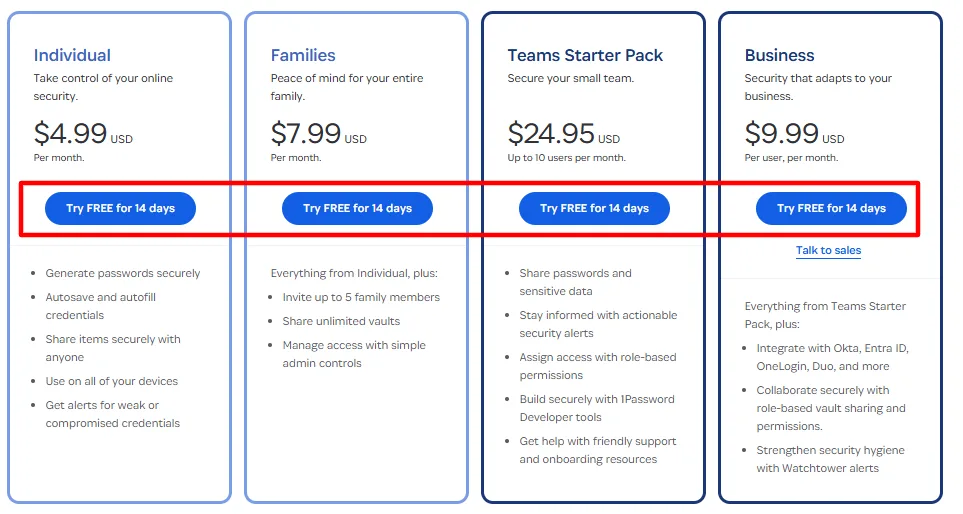
Every 1Password plan — Individual, Families, and Business — comes with a 14-day free trial requiring no credit card. You get full access to all features immediately. This is the best starting point: test everything, then apply a discount code when you’re ready to subscribe.
2. Get Up to 50% Off Your First Year
1Password regularly offers new customer discounts of up to 50% off the first year on Individual and Families plans. These deals are typically applied automatically at checkout — no code needed. Current verified offer: up to 50% off your first year on annual billing for new subscribers. Check 1password.com directly for the latest active promotion.
3. Choose Annual Billing (Save ~40%)
Monthly vs. annual billing is the single biggest pricing lever available. The Individual plan costs $4.99/month on monthly billing vs. $2.99/month on annual — a saving of over 40%. The Families plan drops from $6.99/month to $4.99/month. Always choose annual billing unless you have a specific reason to stay flexible.
4. GitHub Student Developer Pack (Free for Students)
College students can get 1Password completely free through the GitHub Student Developer Pack. This is the best student deal available — full Individual plan access at zero cost for as long as you’re verified as a student. Visit education.github.com/pack to claim it.
5. Get a Free Families Account with Business
If your company subscribes to 1Password Business, every team member gets a free 1Password Families membership for their personal use. This is one of the most underused deals in the password manager space — you’re effectively getting two subscriptions for the price of one.
6. Switching From Another Password Manager?
If you’re switching from a competitor like Dashlane, LastPass, or Bitwarden with time remaining on your subscription, contact 1Password support — they credit remaining time on competing subscriptions toward your new account.
1Password Features Worth Knowing
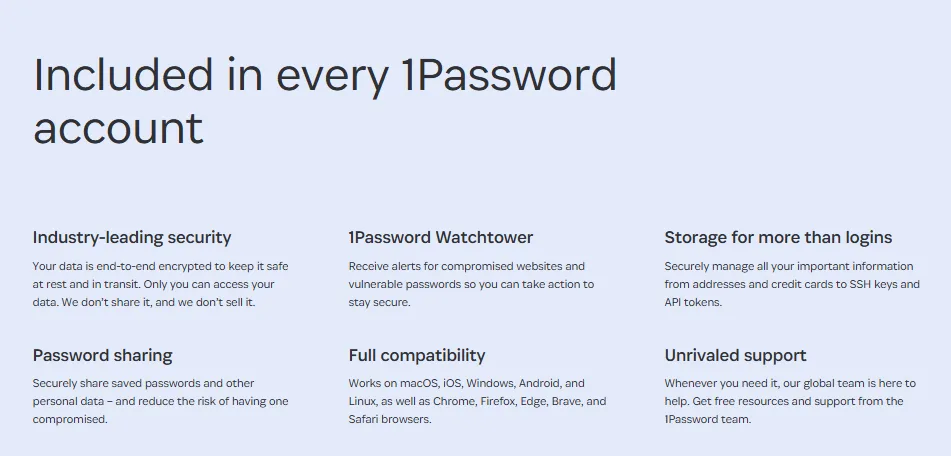
Watchtower: Monitors all your saved passwords against known data breaches and flags weak, reused, or compromised credentials in real time.
Travel Mode: Hide sensitive vaults when crossing borders. Selected vaults become completely invisible on your device — not just locked, but hidden — until you restore access from a trusted device.
1Password Developer: Protects secrets and SSH keys throughout the entire software development lifecycle. A must-have for engineering teams.
Extended Access Management: Secures access not just through 1Password vaults but across every app, device, and identity — even unauthorized SaaS tools employees use without IT knowing.
5,000+ Integrations: Works with Okta, Google Workspace, Microsoft Entra ID, JumpCloud, Slack, and hundreds of other tools for seamless enterprise deployment.
Pros and Cons
Pros
- 14-day free trial on all plans, no credit card required
- Up to 50% off first year for new users
- Free Families plan included with Business subscriptions
- Free for students via GitHub Student Developer Pack
- Best-in-class security with zero-knowledge architecture
Cons
- No permanent free plan (unlike Bitwarden)
- Can feel expensive for individual users at full monthly price
Alternatives to 1Password
Tool | Free Plan | Starting Price | Best For |
Bitwarden | Yes (unlimited) | $10/year | Budget users who want open source |
NordPass | Yes (limited) | $1.99/month | Simple setup |
Dashlane | Yes (limited) | $4.99/month | Dark web monitoring focus |
LastPass | Yes (limited) | $3/month | Legacy users |
1Password is the strongest overall choice for families and businesses. Bitwarden is the best free alternative if cost is your primary concern.
FAQs: 1Password Coupon Code
Does 1Password have a coupon code?
Yes — new users can get up to 50% off their first year. These are typically applied automatically at checkout without needing to enter a code. Check 1password.comfor the current active offer.
Is there a free trial for 1Password?
Yes — a 14-day free trial is available on all plans including Business. No credit card is required to start.
Can students get 1Password for free?
Yes — through the GitHub Student Developer Pack, verified students get 1Password Individual free.
Does 1Password work on all devices?
Yes — Mac, Windows, Linux, iOS, Android, and all major browsers including Chrome, Firefox, Edge, and Safari.
What happens if I cancel 1Password?
Your account data remains accessible in read-only mode so you can export before deleting. You will not lose your data immediately on cancellation.
Quick Links
✅ Final Verdict: Amplitude Coupon Code
With up to 50% off for new users, a 14-day no-card free trial, free access through GitHub Student Pack, and a free Families plan bundled with Business subscriptions, 1Password offers more genuine savings than most password managers. The security ROI alone justifies the cost — the discounts just make it easier to start.
Comments
Be the first to leave a comment.