

If your team is juggling tasks across too many tools — project management, docs, goals, chat — ClickUp was built to fix that. And right now, you can get up to 37% off with annual billing, plus verified coupon codes that stack additional savings. Here's the complete guide to getting ClickUp at the best possible price in 2026.
What Is ClickUp?
ClickUp is an all-in-one productivity and project management platform that consolidates tasks, docs, goals, whiteboards, time tracking, and team chat into a single workspace. Founded in 2017 by Zeb Evans, ClickUp has grown to serve over 800,000 teams worldwide and is valued at $4 billion after raising $400 million in Series C funding.

The promise is simple: replace the fragmented stack of Asana, Notion, Slack, and Google Docs with one platform that does everything. Whether you're a freelancer managing client work, a startup running sprint cycles, or an enterprise PMO overseeing complex programmes, ClickUp has a plan built for your scale.
What makes ClickUp different from most project management tools is its extreme flexibility. Every view — list, board, calendar, Gantt, timeline, workload — is available on all paid plans. You can build workflows that match how your team actually works, rather than forcing your team to adapt to the tool.
Best ClickUp Coupon Codes (April 2026)

FounderPass
⚠️ ClickUp typically allows one promo code per order. Annual billing alone saves you 30% compared to monthly, and stacking a 20% code on top gives you meaningful savings.
How to Apply Your ClickUp Coupon Code
Go to clickup.com/pricing and select your plan

Choose annual billing to activate the base 30% discount
Click “Get Started” or “Upgrade”
Enter your coupon code in the promo code field at checkout
Confirm the discount is reflected before completing payment

Coupon codes for ClickUp generally apply to new subscriptions only. Existing subscribers should check with ClickUp support about renewal discount eligibility.
ClickUp Pricing Plans (2026)

Plan | Monthly Billing | Annual Billing | Best For |
Free Forever | $0 | $0 | Individuals & small personal projects |
Unlimited | $10/user/mo | $7/user/mo | Small teams (under 15 people) |
Business | $19/user/mo | $12/user/mo | Mid-size teams and agencies |
Enterprise | Custom | Custom | Large orgs with compliance needs |
ClickUp Brain AI | +$9/user/mo | +$9/user/mo | Add-on for any paid plan |
A 10-person team on the Business plan saves $840/year by choosing annual billing over monthly. Add a 20% coupon code on top and the savings compound further.
One critical billing note: ClickUp bills at the workspace level, not per individual user. When you upgrade a workspace, every member gets upgraded. You cannot mix free and paid seats in the same workspace, so plan your seat count carefully before upgrading.
ClickUp Key Features
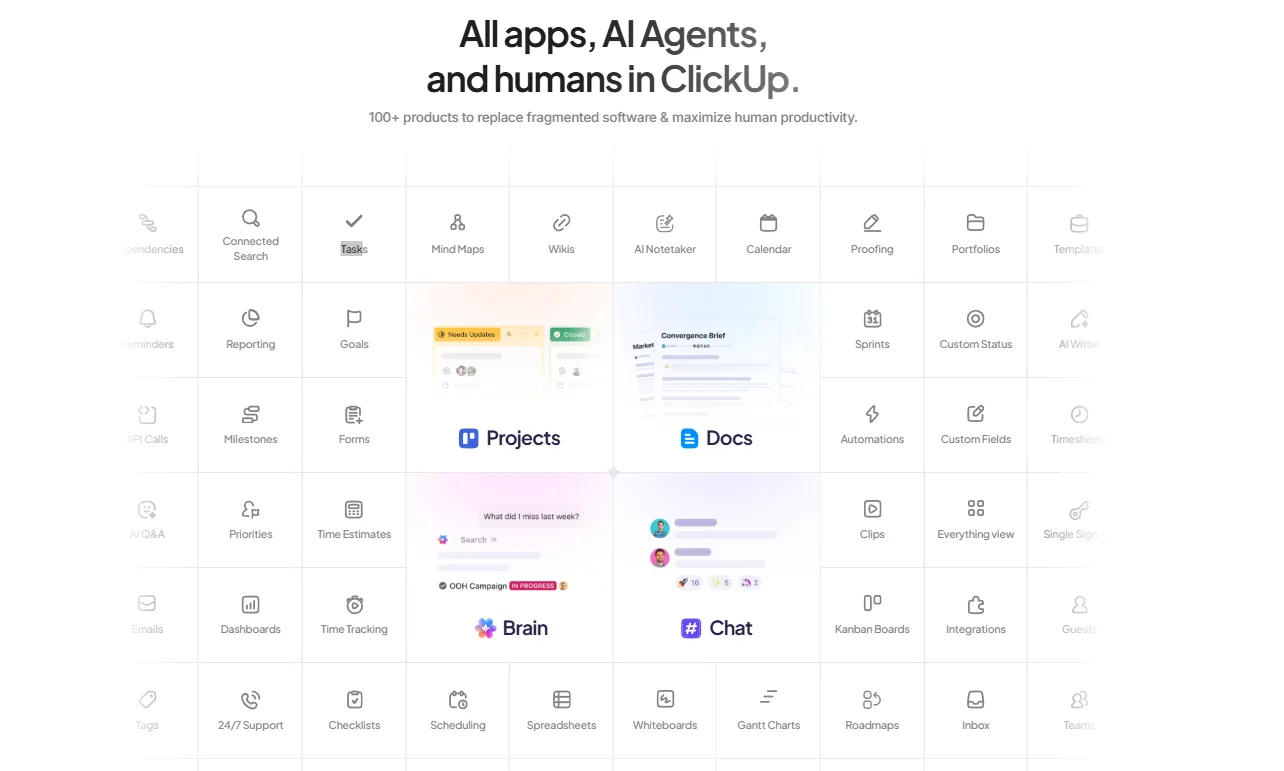
Tasks & Projects — Create unlimited tasks, subtasks, checklists, and dependencies. Assign multiple assignees, set priorities, add custom fields, and track progress across any view. ClickUp's task system is among the most flexible in the market.
Multiple Views — Switch between List, Board (Kanban), Calendar, Gantt, Timeline, Workload, Map, and Table views for the same project without duplicating any data. Every view updates in real time.
ClickUp Docs — A built-in document editor that connects directly to tasks. Create SOPs, wikis, meeting notes, and project briefs inside ClickUp without switching to Notion or Google Docs.
Goals & OKRs — Set company and team goals, link them to specific tasks and projects, and track progress automatically. Executives get a real-time view of whether the team is on track without asking for status updates.
Time Tracking — Built-in time tracking that logs time against specific tasks and projects. Generate timesheets, billable hours reports, and workload analysis without a separate time-tracking tool.
Automations — Set rules to automate repetitive actions: auto-assign tasks, send notifications, update statuses, or move items between lists when conditions are met. The Business plan includes 25,000 automation actions per month.
Whiteboards — A collaborative digital canvas for brainstorming, flowcharts, and visual planning. Connect whiteboard shapes directly to ClickUp tasks so ideas become action items.
Dashboards — Build custom reporting dashboards that pull real-time data from any project, task, or team in your workspace. No more manual status reports.
1,000+ Integrations — Connect ClickUp with Slack, Google Workspace, Zoom, GitHub, HubSpot, Salesforce, and hundreds more tools your team already uses.
ClickUp Brain AI — An AI assistant available as a $9/user/month add-on that generates task summaries, writes project updates, answers questions about your workspace, and helps with documentation. Powerful but worth evaluating whether your team will actually use it before enabling it for everyone.
Pros & Cons of ClickUp
Pros
- Extremely affordable — $7/user/month is one of the lowest prices in project management
- Generous Free Forever plan with unlimited tasks and members
- All views available on every paid plan
- Replaces multiple tools (saves on subscriptions)
- 1,000+ integrations
Cons
- The free plan's 60MB storage limit fills up fast for active teams
- ClickUp Brain AI is an expensive add-on ($9/user/month) — not included in base plans
ClickUp Alternatives
Asana — Cleaner interface with a gentler learning curve. Starts at $12/user/month (Starter), making it comparable to ClickUp Business. Better for teams that prioritize ease of use over feature depth.
Monday.com — Strong visual project tracking and dashboard capabilities. Standard plan at $9/user/month. Better for non-technical teams and client-facing project management.
FAQs
What is the best ClickUp coupon code for April 2026?
Use UNLOCK20 or GET20 for 20% off. Combine with annual billing for a total saving of approximately 37% compared to monthly pricing.
Does ClickUp have a free plan?
Yes. ClickUp's Free Forever plan includes unlimited tasks and unlimited members. The main limitations are 60MB total storage and caps on features like Custom Fields (60 uses) and automations.
Can I get ClickUp for my startup?
Yes. The FounderPass code gives startups 20% off Unlimited and Business plans for one year — saving up to $1,000 depending on team size.
Is ClickUp Brain AI worth it?
It depends on your team's use case. At $9/user/month, a 10-person team pays an extra $1,080/year for AI. Enable it selectively for users who will genuinely use it rather than workspace-wide.
Does ClickUp offer a free trial?
Yes. ClickUp offers a 14-day free trial of paid plan features. You can test everything before committing to an annual subscription.
Quick Links
Final Verdict
ClickUp is one of the best-value productivity platforms in 2026. At $7/user/month on annual billing — with coupon codes bringing it down further — it's genuinely hard to beat for small and mid-size teams that want to consolidate their tool stack. The learning curve is real, but the long-term payoff in reduced SaaS spend and improved team alignment is significant.
👉 Click here to start your ClickUp free trial and apply your discount code →
Disclosure: Some of the links in this article may be affiliate links, which can provide compensation to me at no cost to you if you decide to purchase a paid plan. We review these products after doing a lot of research, we check all features and recommend the best products only.


