

Looking for a FuseBase Coupon Code? There are two ways to save — annual billing on their regular plans and a rare lifetime deal through AppSumo. This article covers both, explains every feature in plain English, and tells you which plan fits your situation.
🏷️ FuseBase Discount Deals — April 2026

Annual Billing
AppSumo Lifetime Deal
Free Trial
60-Day Money-Back
🪜 How to Claim Your FuseBase Discount — 4 Steps

Go to thefusebase.com/pricing — Compare Solo, Essentials, Advanced, and Unlimited plans.
Start the free trial — Up to 5 client projects free to test.
Toggle to Annual billing — Automatically applies ~20% discount.
Or check AppSumo — For the lifetime deal (one-time payment, permanent access).
🎁 FuseBase Free Trial
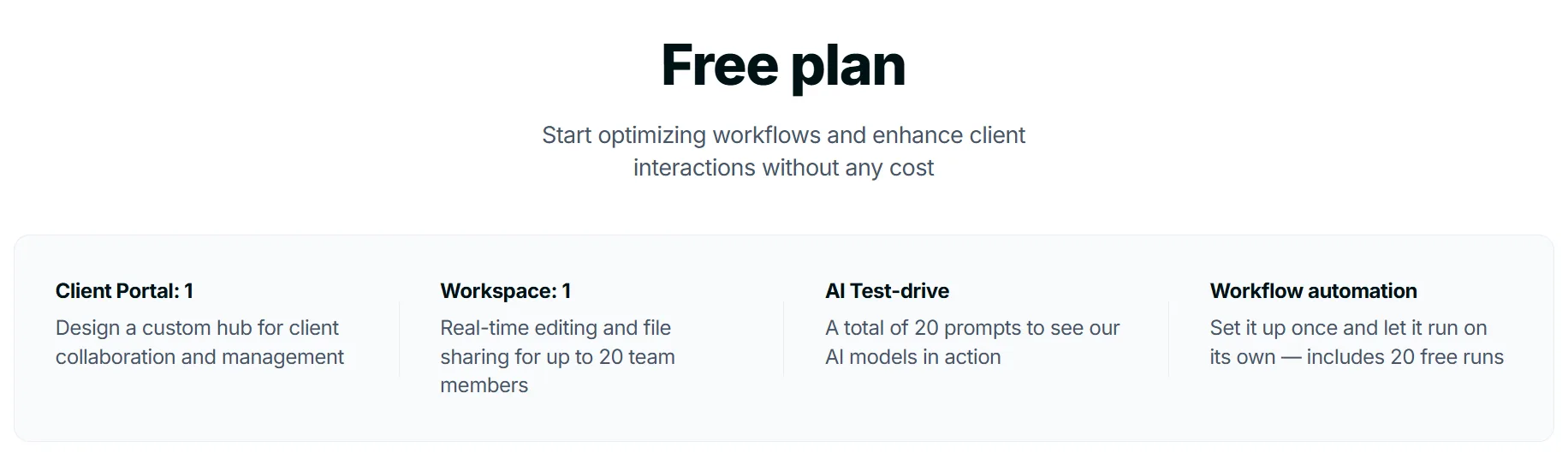
FuseBase offers a free tier that lets you:
Set up workspaces with up to 5 client projects
Test AI agents, portals, and document builder
Invite clients with secure links
Experience the interface before paying
No time pressure — explore at your own pace
⚡ What You Get With FuseBase — Features Explained
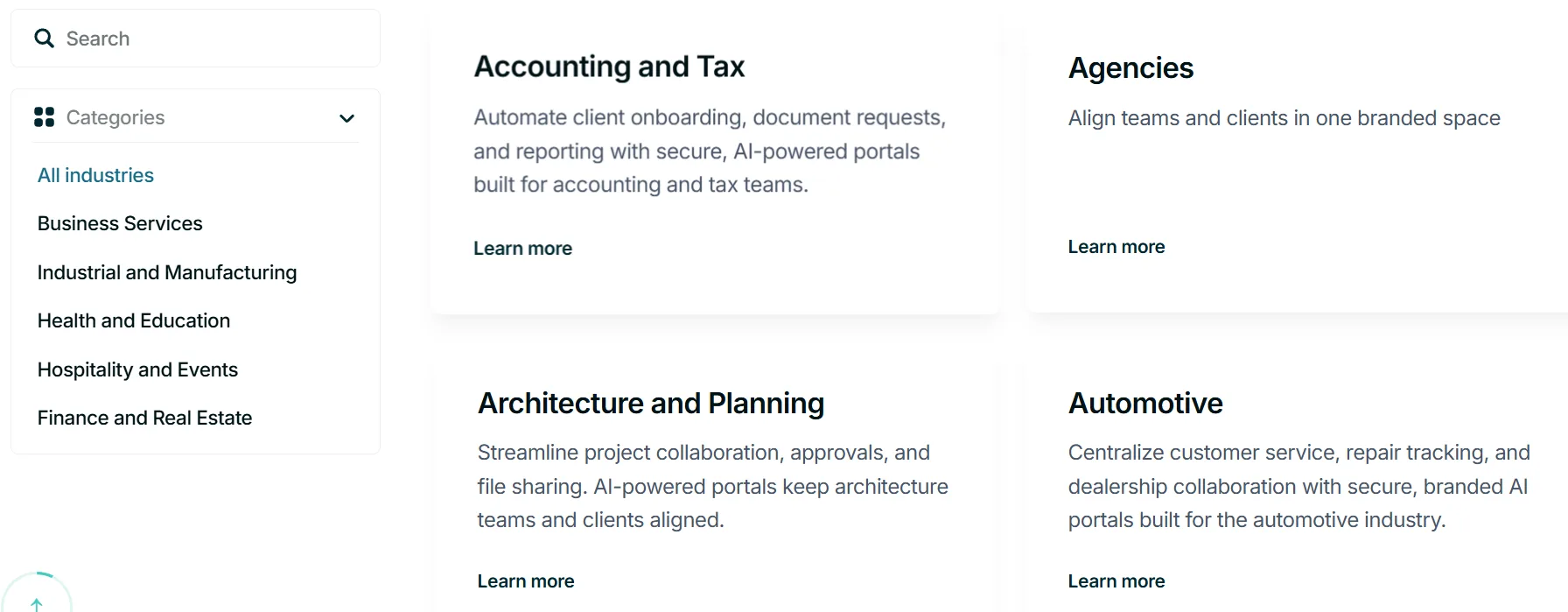
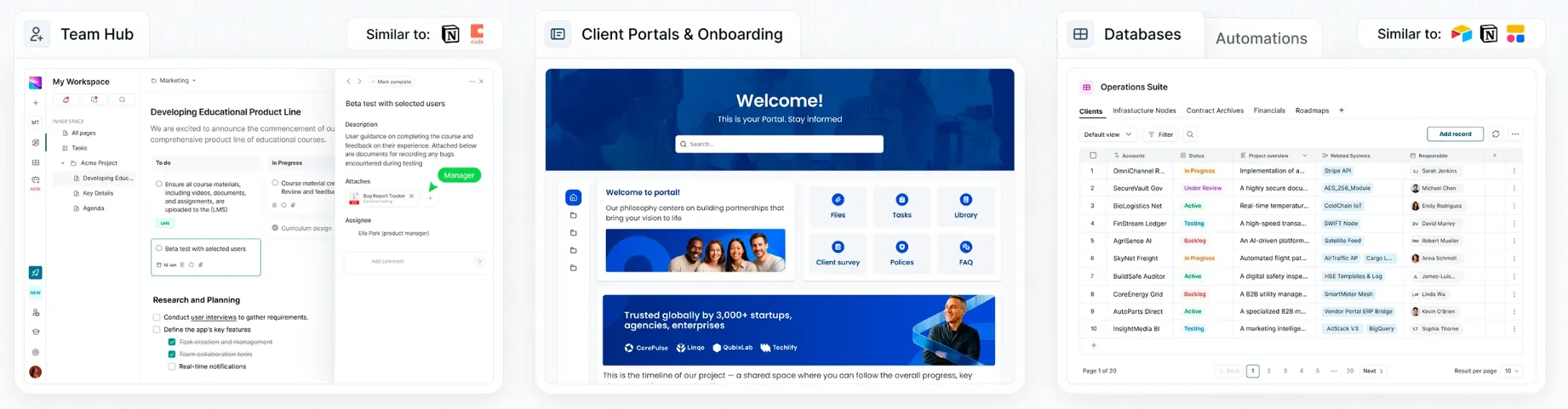
FuseBase is an all-in-one platform for client-facing businesses — agencies, consultants, coaches, and service providers. Think of it as Notion + client portals + AI agents, all in one branded workspace. Here's a deep look at what each feature actually does for your business:
🏠 White-Labeled Client Portals — This is FuseBase's headline feature. You create a professionally branded portal — your logo, your colors, your domain — where clients can log in and see their project status, documents, tasks, and deliverables. Clients don't see anything that says “FuseBase.” They think it's your proprietary client system. This makes small agencies look like big, professional operations. Available on Advanced plan.
📄 Drag-and-Drop Document Builder — Create “super documents” that go far beyond regular text. Embed Google Docs, Figma designs, Airtable databases, Looker Studio reports, Miro boards, PDFs, and more. Everything lives in one document that clients can view without switching tools. Great for proposals, onboarding guides, and project dashboards.
🤖 AI Agents — FuseBase's AI agents work inside your portals and workspaces 24/7. They can: answer client FAQs automatically (so you don't have to), summarize meeting recordings and create action items, assign tasks to team members, send status update emails, and route approvals. These agents are like virtual executive assistants that work while you sleep.
📋 Project Management — Kanban boards, task lists, timelines, and checklists all built in. Assign tasks to team members or clients, set deadlines, and track progress in one place. No need for a separate project management tool.
🤝 Deal Rooms — Create a branded space for sales prospects. Share proposals, contracts, presentations, and pricing sheets in a professional environment. Track when prospects view documents and which pages they spend time on. This visibility helps sales teams know when to follow up.
📝 Meeting Intelligence — Connect your meeting recordings (Zoom, Teams, etc.) and FuseBase's AI automatically creates notes, action items, and a client-ready recap. Sends it to the portal automatically after the meeting ends.
✍️ E-Signatures — Collect client signatures on contracts and agreements directly inside FuseBase. No need for DocuSign if you're already paying for FuseBase.
🔍 Knowledge Base — Build an internal and external knowledge base. Internal: team SOPs, playbooks, and documentation. External: client-facing FAQs and guides that clients can search themselves.
🔌 2,000+ Integrations — Connect Slack, HubSpot, Google Sheets, Airtable, Stripe, Zapier, and many more. FuseBase recently added MCP protocol support, meaning it can connect to AI tools like Claude Code and Cursor.
🌐 Browser Extensions — Four browser extensions available: AI Assistant, FuseBase Clarity, PRO AI, and Voice Assistant. These bring FuseBase's AI directly into your browser while you're working in other tools.
🔐 Enterprise Security — GDPR compliance, permission management, role-based access, and secure file sharing. Your client data stays protected.
📱 OCR (Image Recognition) — Extract text from images and PDFs automatically. Useful for digitizing contracts, invoices, and scanned documents.
💰 FuseBase Pricing Plans 2026 — Who Should Choose What
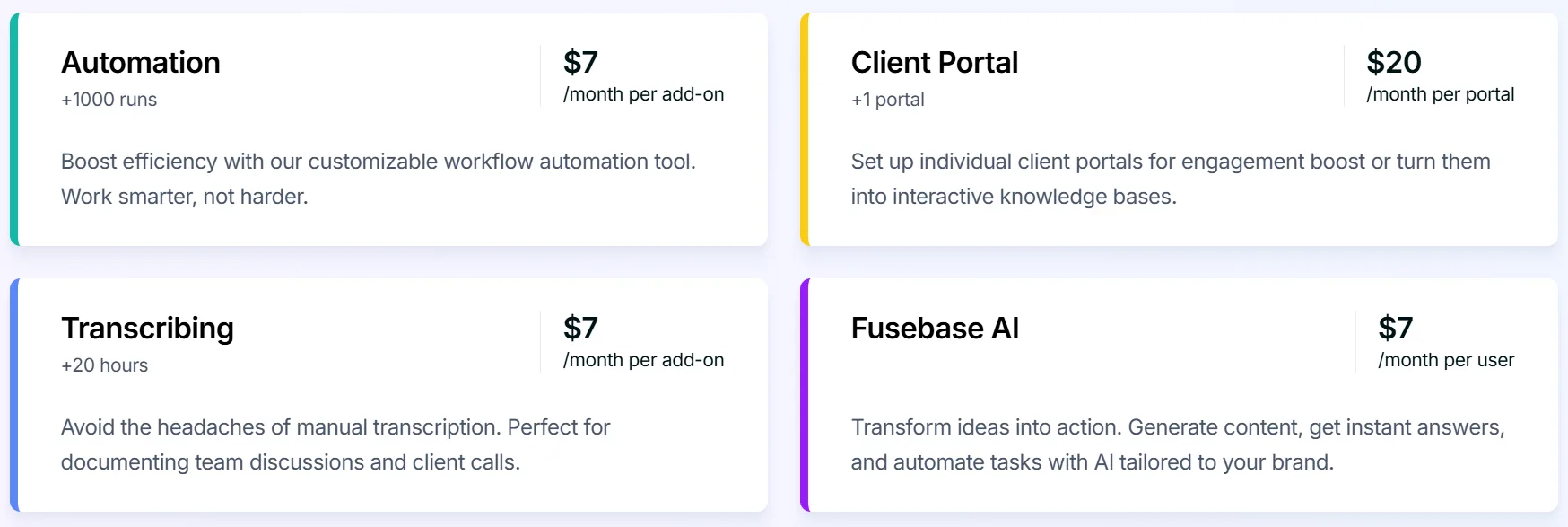
FuseBase has four main plans. Pricing is based on team members or portals — whichever is higher. You never pay for client accounts.
Plan | Monthly Price | Best For |
Solo | ~$32/mo | Solopreneurs, 1 client portal |
Essentials | ~$39/mo+ | Small teams, growing agencies |
Advanced | ~$40/mo/user | Agencies needing white-label |
Unlimited | Custom | Large organizations |
Solo Plan — ~$32/month
Who it's for: Freelancers, independent consultants, solopreneurs who manage 1–2 clients at a time and want a professional portal without paying for a full team setup.
Includes 1 client account, 1 client portal, 1,000 AI requests, and 5 hours of transcription per month. Good starting point if you're solo and just want to replace a messy email-based client workflow.
Essentials Plan — ~$39/month+
Who it's for: Small teams of 3–10 people who need to collaborate on client projects and want multiple portals without paying for premium white-labeling.
More team members, more portals, more AI requests. Suitable for boutique agencies, small consulting firms, and growing service businesses. Pricing scales with the number of team members you add.
Advanced Plan — ~$40/month per user (3+ users)
Who it's for: Established agencies and service businesses that want the full professional experience — white-labeled portals with your own domain, your own email branding, and zero mention of FuseBase anywhere.
This is where FuseBase gets serious. The Advanced plan adds:
White-label everything — your domain, your branding, your email notifications
More portals, more team members
Full AI Agent capabilities
Priority support
If you're selling premium services at premium prices and want your client experience to match, Advanced is the plan.
AppSumo Lifetime Deal — From $79 One-Time
Who it's for: Anyone who wants permanent FuseBase access without monthly payments. The AppSumo deal uses a “code stacking” model where you buy codes to unlock higher tiers.
1 Code ($79): Solo features — 1 user, 1 client portal. Great for solopreneurs.
3 Codes ($237): Sweet spot for small agencies — 10 users, 15 client portals. Most reviewers consider this the best value.
5+ Codes: Essentials tier features — more storage, more members.
10+ Codes: Advanced features — white-labeling, more portals per code.
How coupons and deals save you money here: A $237 one-time payment (3 codes) versus paying $39+/month monthly means you break even in 6 months and own it forever after that. For an established agency, this is one of the smartest lifetime deals available in SaaS right now.
👍 Pros & Cons of FuseBase
Pros
- White-labeled client portals make small agencies look enterprise-level
- AI agents genuinely save time on meeting recaps, task assignment, and client FAQs
- Drag-and-drop document builder with 2,000+ embeds is exceptionally flexible
- 4.7/5 on G2 with 100+ verified reviews — real user satisfaction
- Free to start with 5 client projects — meaningful trial
- E-signatures built in — replaces DocuSign
Cons
- Steeper learning curve than simpler tools like Notion
- Mobile app experience is limited compared to desktop
💡 How to Maximize Your FuseBase Savings
1. Check AppSumo first. The lifetime deal is exceptional value. Even 3 codes at $237 saves thousands over 2–3 years of monthly payments.
2. Book a free consultation. FuseBase's team offers free onboarding calls. Tell them your use case and they'll help you pick the right plan and set up templates.
3. Go Annual for recurring plans. The ~20% discount on annual billing adds up quickly on Essentials and Advanced.
4. Use AI agents to reduce manual work. Let FuseBase's agents handle meeting recaps and client FAQs so you can focus on billable work.
5. Use deal rooms for every sales proposal. Clients who see a branded, professional deal room close faster. This pays for the tool.
❓ FAQs
Does FuseBase have coupon codes?
FuseBase doesn't regularly publish promo codes. Savings come from annual billing (~20% off) or the AppSumo lifetime deal. Check thefusebase.com/pricing for current offers.
What is the AppSumo FuseBase lifetime deal?
A one-time payment starting at $79 for permanent FuseBase access. Stack multiple codes for more users, portals, and features. Check appsumo.com for current availability.
Is white-labeling included in all plans?
No. White-label is available on the Advanced plan and above (code 10+ on AppSumo).
Do clients pay for FuseBase?
No. Client accounts are free. You only pay for your team members and portals.
What's the difference between a workspace and a client portal?
Your workspace is your internal team area (admin side). A client portal is what clients log into — your branded, external-facing hub. Both are managed from one FuseBase account.
How is FuseBase different from Notion?
Notion is a team knowledge tool. FuseBase adds client-facing portals, AI agents, deal rooms, and e-signatures that Notion doesn't have. If you work with external clients, FuseBase does far more.
Is FuseBase good for agencies?
Yes — it's specifically designed for agencies. The white-label portals, deal rooms, and client onboarding flows are built with agency workflows in mind.
🆚 FuseBase Alternatives
Notion — Great internal knowledge base, no client portal features. Not suitable for external-facing client work.
ClickUp — Strong project management. No client portals or white-labeling built in.
HoneyBook — Good for freelancers needing proposals and contracts. Less collaborative workspace functionality.
Monday.com — Visual project tracking. No branded client portals. More expensive.
Copilot — Clean client portals for agencies. Simpler but less AI-powered than FuseBase.
Bottom line: FuseBase is one of the only platforms that combines AI agents, white-labeled portals, and full project management in one tool. For client-facing service businesses, it's a compelling alternative to stitching together 3–4 separate tools.
🔗 Quick Links
🚀 Final Verdict: Is FuseBase Worth It in 2026?
Yes — especially if you work with clients.
The moment you show a client a professional branded portal instead of emailing them Google Drive links, you look like a bigger, more credible operation. That alone can justify the cost through higher retention and better client experience.
The AppSumo lifetime deal is the standout savings opportunity. If it's still available, it's one of the smartest purchases a service business can make.
Start your free trial at thefusebase.com. Up to 5 client projects at no cost.
Disclosure: Some of the links in this article may be affiliate links, which can provide compensation to me at no cost to you if you decide to purchase a paid plan. We review these products after doing a lot of research, we check all features and recommend the best products only.


