


DataImpulse is a proxy service provider offering residential, mobile, and datacenter proxies with flexible pricing, high success rates, and global coverage—designed for web scraping, automation, and data collection at scale.
Pros
- Large Network with over 90 million IP addresses
- Guaranteed High Uptime
- Worldwide Coverage
- No Expiration Dates
- User-friendly Dashboard
- Professional Tech Team
- 24/7 Human Support
Cons
- City, ZIP, and ASN targeting cost extra
- Cannot access government, banking, or email-related websites
$1 per GB.
Buy Now
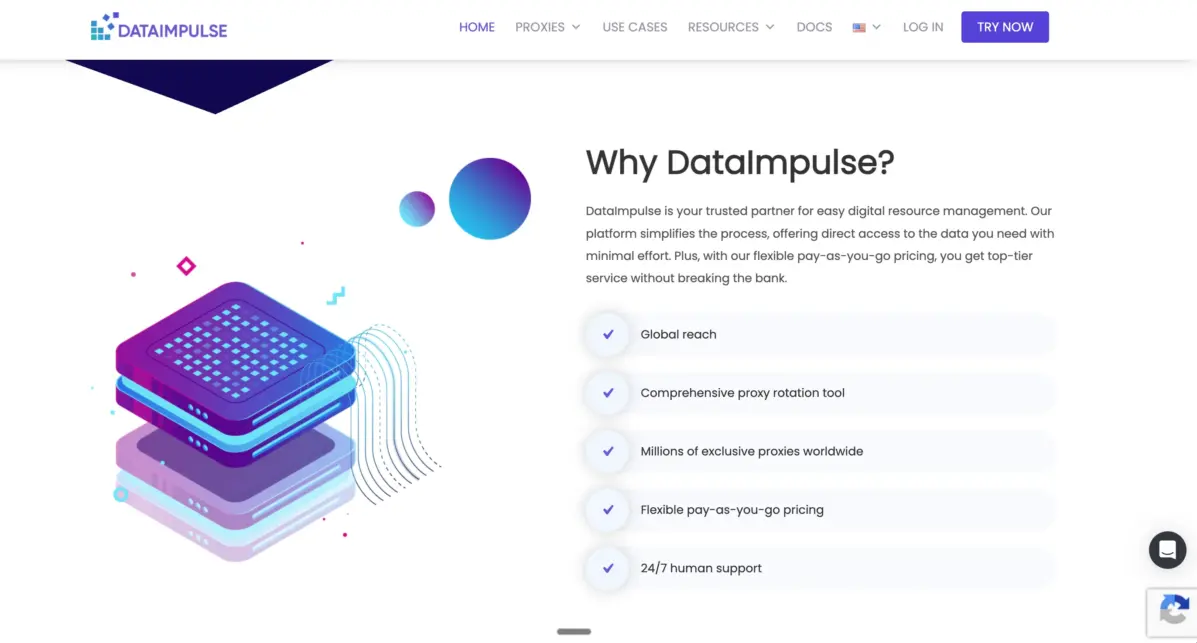
DataImpulse is one of the most affordable proxy providers on the market. It has a massive pool of 90 million+ residential IPs, covers 195+ countries, and charges just $1 per GB with no expiry on your traffic. I tested it myself — and for the price, it genuinely delivers. Here is everything you need to know before you buy.
DataImpulse Review 2026: What Is DataImpulse?
DataImpulse is a proxy service that has been running for over four years. It now serves more than 500,000 customers worldwide.
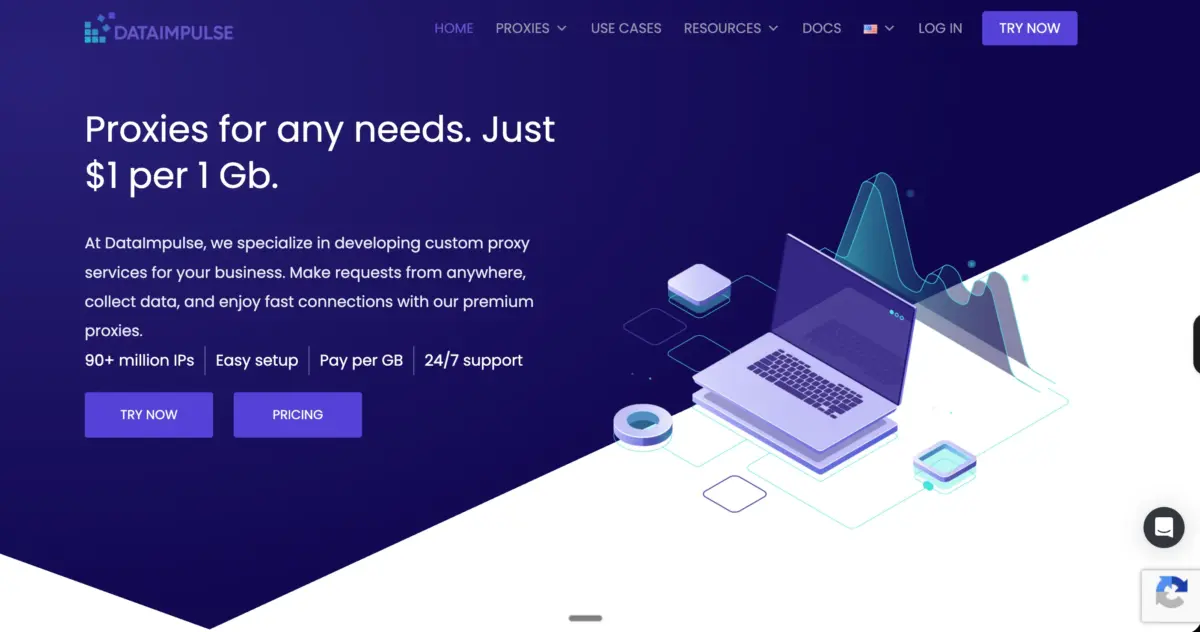
The company offers residential, mobile, datacenter, and premium residential proxies — all under one roof. What makes it stand out is simple: the price. Most residential proxy providers charge between $3 and $8 per GB. DataImpulse starts at just $1 per GB. That is not a promotional rate. That is the actual starting price.
The company does not resell proxies from other networks. All IPs are sourced directly and ethically — people voluntarily join their P2P network in exchange for financial compensation or free access to paid apps. This matters because first-party IP pools tend to have lower block rates and cleaner abuse history than resold networks.
I signed up, bought some traffic, ran my own tests, and spent time going through every product page and their knowledge base. Here is my honest breakdown.
DataImpulse Proxy Types: What Do They Offer?
DataImpulse offers four types of proxies. Each one serves a different purpose, and the pricing is separate for all of them.
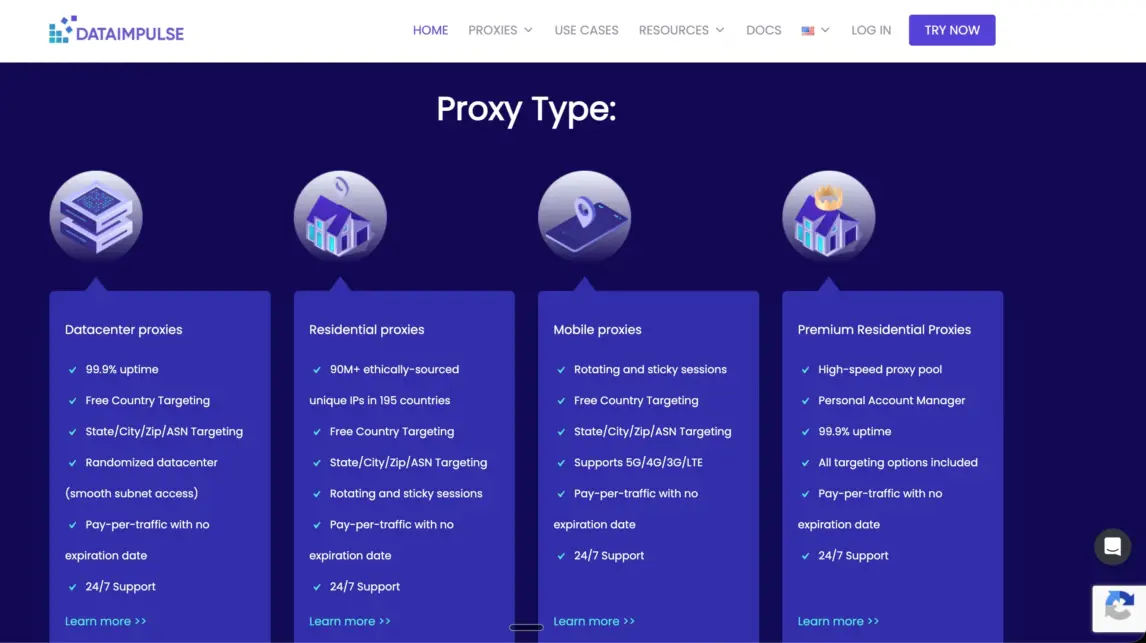
1. Residential Proxies are the most popular product. The pool has grown significantly — as of 2026, DataImpulse now claims 90 million+ ethically sourced unique IPs across 195 countries. When I first came across older reviews, the figure was 5 million.
That growth is massive and puts DataImpulse in a much more competitive position against bigger names. You get rotating sessions, sticky sessions of up to 120 minutes, HTTP(S) and SOCKS5 protocol support, country targeting for free, and city, ZIP code, and ASN targeting at extra cost. The success rate is rated at 99.9% and the average response time is approximately 1 second, which DataImpulse claims is 2x faster than the industry average.
2. Datacenter Proxies are the fastest option. They offer 99.99% uptime, low latency, and randomised location distribution to help avoid subnet blocks. These are best for large-scale scraping and automation where speed matters more than appearing like a residential user. Pricing starts at just $0.50 per GB — the cheapest in the entire lineup.
3. Mobile Proxies use IPs from real 3G, 4G, 5G, and LTE mobile networks. There are 16 million+ mobile carrier IPs across 195 countries. Mobile IPs have the lowest block rates of any proxy type because they mimic real mobile user behaviour. These are ideal for social media management, app testing, and mobile-specific ad verification. Pricing starts at $2 per GB.
4. Premium Residential Proxies are DataImpulse’s enterprise-grade tier. These are built for high-demand, time-sensitive tasks like fraud detection, competitive intelligence, and large-scale data collection. Response times here drop to under 50ms, uptime is at 99.9%, and you get a dedicated account manager plus full customisation. The Intro plan starts at $5 per GB for 1GB, and for 1TB or more, you get a 20% discount at $4 per GB.
DataImpulse Pricing: How Does It Actually Work?
This is the part that most people care about. Here is the full pricing breakdown confirmed directly from their website:
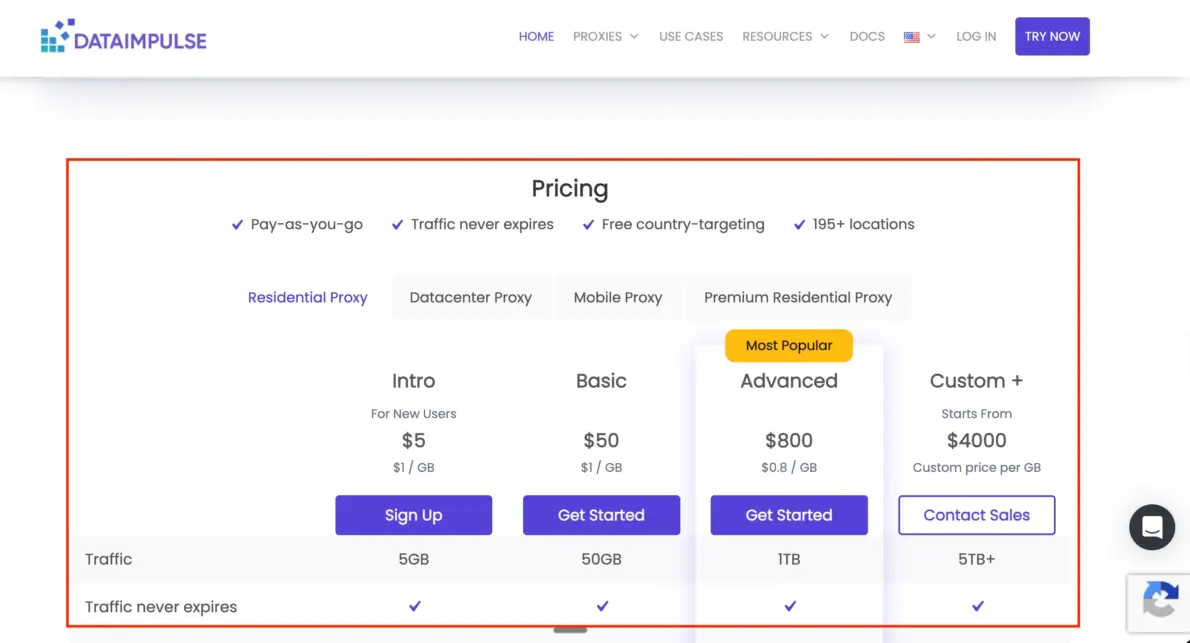
- Residential Proxies — Start at $1/GB (minimum $5 for 5GB). Buy 1TB or more and get a 20% discount. Traffic never expires.
- Datacenter Proxies — Start at $0.50/GB (minimum $5 for 10GB). Traffic never expires.
- Mobile Proxies — Start at $2/GB (minimum $5 for 2.5GB). Traffic never expires.
- Premium Residential Proxies — Starts at $5/GB (Intro: 1GB for $5). Custom enterprise plans available from 1TB at $4/GB.
The no expiry policy is a big deal. Most other providers expire your unused traffic after 30 days. With DataImpulse, whatever you buy stays in your account until you use it. This means you can buy in bulk to get a discount and use it at your own pace.
Payment methods are very flexible. DataImpulse accepts Visa, Mastercard, wire transfer, crypto, Alipay, Apple Pay, and Google Pay. The Intro plan comes with a 7-day money-back guarantee if you do not pay with crypto. All other plans are non-refundable, so it is worth testing first.
Key Features That Make DataImpulse Stand Out
After going through their entire platform, here are the features I found most interesting:
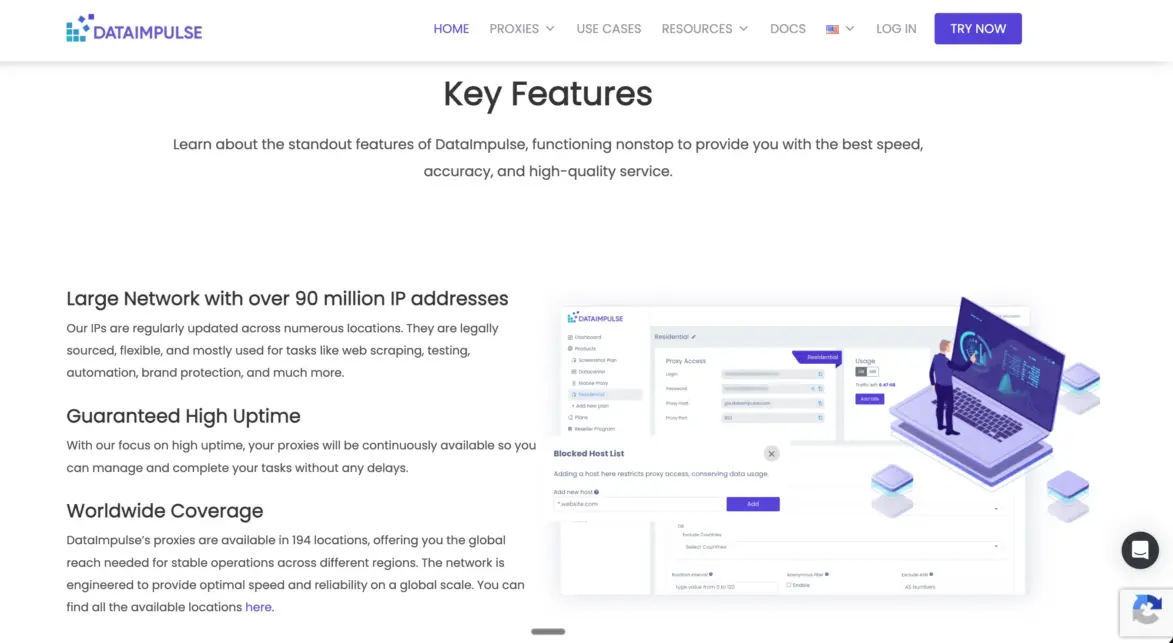
- 90M+ ethically sourced residential IPs — This is one of the largest first-party pools in the market. Most average providers offer between 10 million and 50 million IPs.
- No expiry on traffic — Your GBs roll over forever, which is rare in this industry.
- Free country targeting — Country-level geo-targeting is included at no extra cost. City, ZIP, and ASN targeting cost slightly more but are still available.
- Rotating and sticky sessions — You can rotate IPs after every request for scraping, or hold a sticky session for up to 120 minutes for account management tasks.
- HTTP(S) and SOCKS5 support — Most average providers only offer HTTP and HTTPS. SOCKS5 support means better compatibility with more applications and scraping tools.
- API access — Connect proxies directly to your scraping bots, automation tools, or data workflows. DataImpulse integrates with Scrapy, Selenium, Puppeteer, Octoparse, and custom scripts.
- Sub-user account management — Useful for agencies managing multiple clients or teams.
- Anti-detection browser integrations — They provide step-by-step tutorials for GoLogin, Octo Browser, MoreLogin, and Multilogin, which is extremely helpful for account managers and marketers.
- 24/7 human support — No bots. Real agents. Their own website and G2 reviews confirm that first response time is typically under 3 minutes. I tested this myself and got a reply in under 2 minutes.
- Rated 4.8 out of 5 on G2 — Backed by real verified user reviews.
What Can You Use DataImpulse Proxies For?
DataImpulse proxies work well across a wide range of use cases. Based on my testing and their documented use cases, here is where they perform best:
- Web scraping — The rotating residential IPs are ideal for scraping e-commerce sites, news portals, and review platforms without getting blocked. The 90M+ pool means each request comes from a different home address.
- SERP tracking — Track keyword rankings on Google, Bing, and Yandex across different countries, and country targeting is also included free.
- Ad verification — View ads as real users see them in different regions. Perfect for digital marketing teams managing geo-targeted campaigns.
- Price intelligence — Monitor competitor pricing on Amazon, eBay, Alibaba, and local e-commerce platforms in real time.
- Social media management — Mobile proxies are especially useful here. You can run multiple accounts with sticky sessions and avoid suspicious login alerts.
- AI training data — Collect diverse public web data to train AI models and LLMs. DataImpulse explicitly supports this use case with no data volume restrictions and first-party ethically sourced IPs.
- App testing and automation — Use mobile proxies to test how your app behaves across different carriers, regions, and network types.
One thing worth noting: DataImpulse does place restrictions on certain website categories. Government websites, banking and financial services, and emailing services cannot be accessed via their proxy network. Keep this in mind if your use case involves these categories.
My Speed and Performance Test Results
I tested the residential proxies across multiple locations. The results were solid. I did not experience major drops in connection speed, and I was able to access geo-restricted platforms including streaming services without issues. Connection remained stable throughout my testing without any sudden disconnects or proxy errors.
The US servers gave mixed results depending on location. Some servers performed well, while others showed higher ping. This is normal for residential proxies since speed depends on the actual device’s internet connection in the P2P network. For bandwidth-heavy tasks, sticking to nearby locations is recommended.
For datacenter proxies, speed was noticeably faster and more consistent — as expected, since these are hosted on dedicated servers. These are better suited if raw speed is your top priority.
The ~1-second average response time for residential proxies held up during my testing. For premium residential proxies, response time drops to under 50ms, which is enterprise-level performance.
DataImpulse Dashboard: Easy to Use, Even for Beginners
The dashboard is clean and intuitive. After you log in, you get access to all proxy configuration options, usage charts, traffic analytics, and documentation in one place.
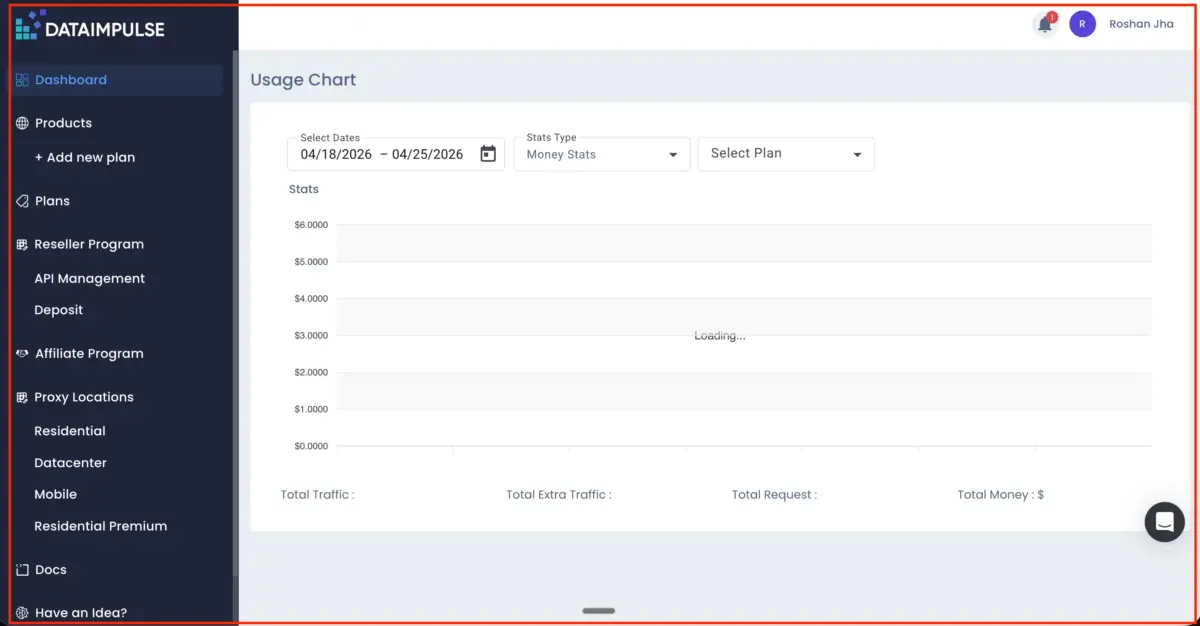
Setting up is quick — you pick your proxy type, select your location and rotation settings, choose your authentication method (username/password or IP whitelisting), and copy or download your credentials as a TXT file.
The dashboard also works perfectly on mobile devices, which is a small but practical advantage for users who manage proxies on the go. Usage tracking is built in, so you can monitor traffic, requests, and spending in real time.
What I Found in Their Knowledge Base That Others Miss
I dug into DataImpulse’s knowledge base and found a few things that most reviews skip over entirely.
First, they have a YouTube channel with detailed tutorials covering everything from how to scrape Amazon data with Python to how Google works, proxy trends, and even how to handle authentication challenges. This is genuinely useful, especially for beginners.
Second, their API documentation is thorough and includes ready-to-use Python code snippets that can be dropped straight into a project. Third, for enterprise clients, DataImpulse offers fully customised proxy configurations including extra pool options, custom thread limits, and price management — all handled by a dedicated account manager. This is something most competing reviews do not mention but is highly relevant for agencies and large-scale teams.
DataImpulse vs Competitors: How Does It Compare?
Here is how DataImpulse stacks up against the average residential proxy provider:
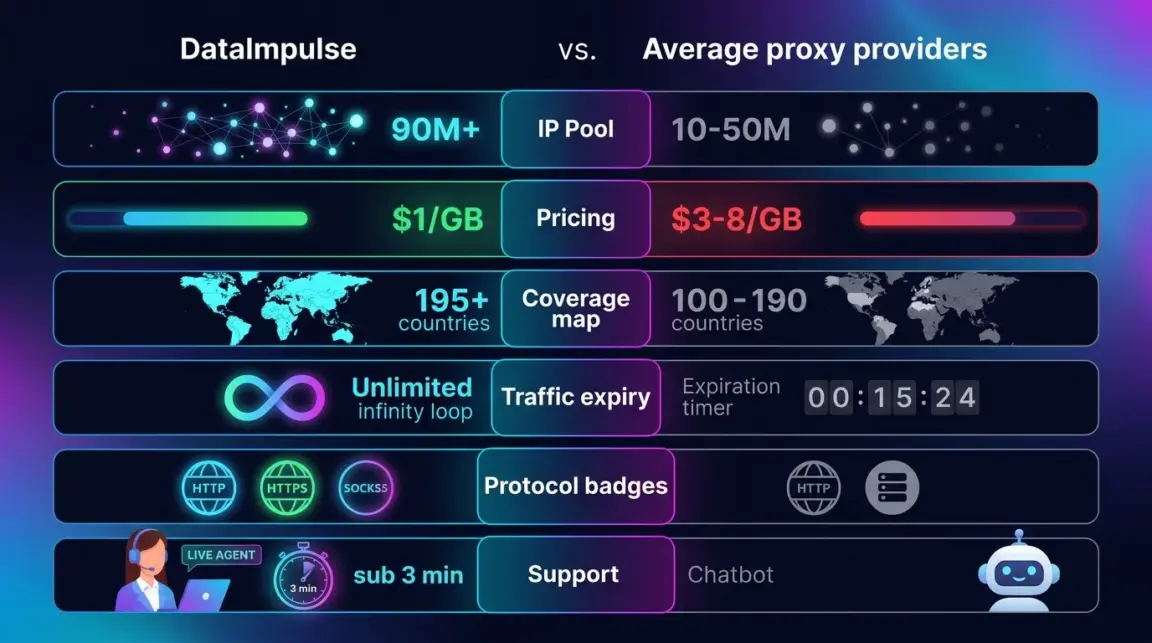
- IP Pool — DataImpulse: 90M+ (ethically sourced, first-party). Average provider: 10M to 50M IPs
- Starting Price — DataImpulse: $1/GB (pay-as-you-go). Average provider: $3–$8/GB with monthly fees
- Coverage — DataImpulse: 195+ countries. Average provider: 100–190 countries
- Traffic Expiry — DataImpulse: Never expires. Average provider: Expires after a set period
- Protocols — DataImpulse: HTTP, HTTPS, SOCKS5. Average provider: HTTP and HTTPS only
- Support — DataImpulse: 24/7 human support with sub-3-minute response. Average provider: 24/7 automated bot support
Pros and Cons of DataImpulse
Pros
- Cheapest residential proxies on the market at $1/GB
- 90 million+ IPs — a massive and growing first-party pool
- Traffic never expires, unlike most competitors
- Free country targeting included
- Sticky sessions up to 120 minutes
- SOCKS5 support alongside HTTP/HTTPS
- 24/7 real human support with under-3-minute response time
- Works with all major scraping tools, antidetect browsers, and automation platforms
- 4.8/5 rating on G2 from 500,000+ satisfied customers
Cons
- Premium residential proxies start at $5/GB, which is higher than some enterprise alternatives
- The 7-day money-back guarantee only applies to the Intro plan and not crypto payments
Related Articles:
Final Verdict: Is DataImpulse Worth It?
Yes — especially if price matters to you. DataImpulse has grown from a budget-friendly option with a 5 million IP pool into a serious contender with 90 million+ first-party residential IPs, proper enterprise features, and a support team that actually responds fast. The fact that your traffic never expires and country targeting is free puts it ahead of most competitors at this price point.
For individuals, startups, and small to mid-sized teams doing web scraping, SERP tracking, ad verification, or price monitoring, DataImpulse delivers strong value. For enterprise teams with heavy workloads, the Premium Residential tier with sub-50ms response time and a dedicated account manager is worth considering.
If you are still unsure, start with the $5 Intro plan and test it for your specific use case before committing to a larger purchase.
Comments
Be the first to leave a comment.