

Want to pay less for Databox? You’re not alone. Databox’s pricing has multiple levers, and knowing how they work means you can pick the plan that genuinely fits your budget without overpaying. Here’s the full breakdown to claim Databox Coupon Code.
🏷️ Databox Discount Deals — September 2026
Annual Billing
Quarterly Billing
Free Forever Plan
14-Day Free Trial
Agency Partner Program
🪜 How to Get Started on Databox for Free — 4 Steps
Go to databox.com/pricing — See all plans and the free tier.
Start the 14-day free trial — Full Growth plan access, no credit card required.
Connect your data sources — Google Analytics, Shopify, HubSpot, etc.
Choose annual billing when you upgrade — The lowest per-month rate is on annual.
🎁 Databox Free Plan — What You Get
The free plan is permanent and genuinely functional for individuals:
3 data sources (e.g., Google Analytics, HubSpot, Mailchimp)
Unlimited dashboards and users
Data updated daily
Custom metrics (basic)
MCP connector — connect Databox to Claude, ChatGPT, or other AI tools
The 3 data source limit is the key restriction. If you need more than 3 connections, you upgrade or add $6/source. The free plan is ideal for solopreneurs tracking a handful of channels.
⚡ What You Get With Databox — Features Explained
Databox is a business intelligence and reporting platform. It pulls data from all your tools — Google Analytics, Shopify, HubSpot, Facebook Ads, Google Ads, and 130+ more — and puts it all on one dashboard. Here’s what makes it worth paying for:
📊 Customizable Dashboards — Build drag-and-drop dashboards that show the metrics that matter to your business. Add charts, graphs, scorecards, and tables. Multiple visualization types — line charts, bar charts, gauges, number widgets. Share dashboards with clients or team members via secure link or scheduled email.
🔌 130+ Native Integrations — Connect data from your entire tech stack: Google Analytics 4, Shopify, HubSpot, Salesforce, Mailchimp, Klaviyo, Facebook Ads, Google Ads, LinkedIn Ads, Stripe, Xero, QuickBooks, SEMrush, and many more. Each connection can have multiple data sources (e.g., one Google Analytics connection, three different GA4 properties = 3 data sources).
📈 Goals & KPI Tracking — Set specific targets for any metric and track progress visually. The dashboard shows you a percentage toward goal, the trend over time, and whether you’re on track or behind. Great for weekly team reviews and client reporting.
🔔 Alerts & Anomaly Detection — Set alerts that notify you when a metric goes above or below a threshold. If your website traffic drops 30% overnight, Databox flags it immediately. You don’t have to log in to notice problems.
🤖 AI-Generated Insights — Growth plan and above. Databox’s AI analyzes your data and writes plain-English summaries of what’s happening in your account. “Your organic traffic grew 12% this week, driven by a spike in branded search terms on Thursday.” This saves time on analysis and helps non-technical stakeholders understand data without interpreting charts.
📋 Automated Reports — Schedule dashboards and reports to send automatically — daily, weekly, or monthly — to team members or clients. Reports arrive in their email inbox with a visual snapshot.
🏢 White-Labeling — Growth plan and above. Rebrand the entire Databox experience with your agency’s logo, colors, and domain. Clients log in, view dashboards, and receive emails that look like they come from your agency, not Databox.
📅 Historical Data — Professional plan: 24 months of history. Growth: longer (check with Databox). This is important for year-over-year comparisons and trend analysis.
⏱️ Sync Frequency — Free/Professional: daily. Growth adds 15-minute sync for selected sources (critical for real-time dashboards). Premium offers real-time data.
🔭 OKR & Forecast Modeling — Plan annual goals, set OKRs, and use forecasting models to predict where you’ll end up based on current trends. Available on Growth and above. Particularly useful for marketing teams presenting to leadership.
🧮 Custom Metrics — Build calculated metrics that don’t exist natively in any integration. E.g., “Revenue per Email Sent” by dividing Klaviyo revenue by HubSpot email sends. Paid plans unlock unlimited custom metrics.
🤝 MCP Integration — Connect Databox to AI assistants like Claude or ChatGPT. Ask questions about your data in natural language and get instant answers. Game-changer for non-technical users.
🏦 Fiscal Calendar — Run reports aligned to your company’s fiscal year rather than calendar year. Available as a paid add-on.
💰 Databox Pricing Plans 2026 — Full Breakdown
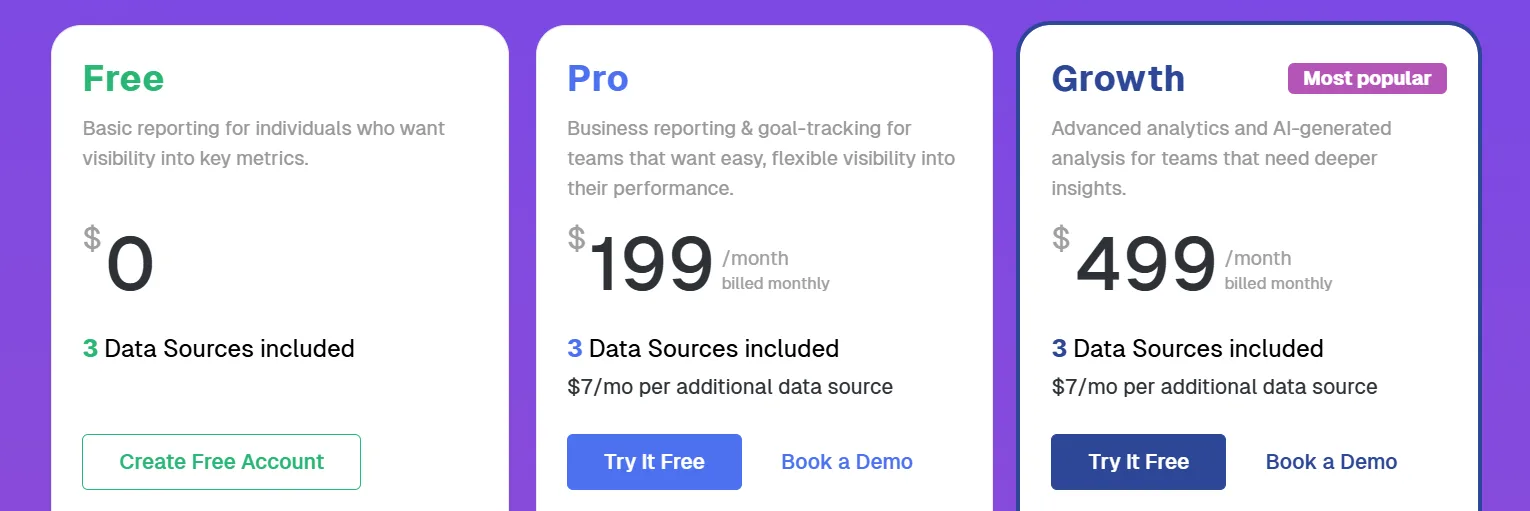
Databox pricing has two components: the base plan + data source count. Your first 3 data sources are free on all plans. After that, each additional data source costs $6/month.
Regular (Standard) Pricing:
Plan | Monthly Price | Best For |
Free | $0 | Individuals, 3 data sources |
Professional | $159/mo | Small teams starting with analytics |
Growth | $399/mo | Growing businesses, AI insights |
Premium | $799/mo | Large organizations |
Agency Pricing:
Plan | Monthly Price | Best For |
Starter (Agency) | $79/mo | Small agencies starting client reporting |
Growth (Agency) | $159/mo | Growing agencies |
Professional (Agency) | $399/mo | Established agency teams |
Premium (Agency) | $799/mo | Large agencies |
Free Plan — $0
Who it’s for: Individuals, solopreneurs, and very small teams who need to track 3 or fewer data sources. Also great for testing Databox before committing.
Three data sources means you could connect Google Analytics + Shopify + HubSpot, for example, and build dashboards from those three. Daily data updates keep you informed without overwhelming you. Unlimited users and dashboards is generous — you can share the dashboard with your whole team even on the free plan.
Professional Plan — $159/month (annual saves more)
Who it’s for: Small marketing teams and businesses that are starting to get serious about data and want hourly syncs, 24 months of historical data, and access to over 120 integrations.
Professional is the entry point into serious analytics. You get hourly data sync (not daily), unlimited dashboards and reports, and 24 months of historical data. This means you can do proper year-over-year comparisons. White-labeling is available as an add-on at this tier.
For small businesses with 5–15 data sources (e.g., an ecommerce brand tracking Google Ads, Shopify, Google Analytics, Email, Social), Professional handles everything cleanly.
Growth Plan — $399/month
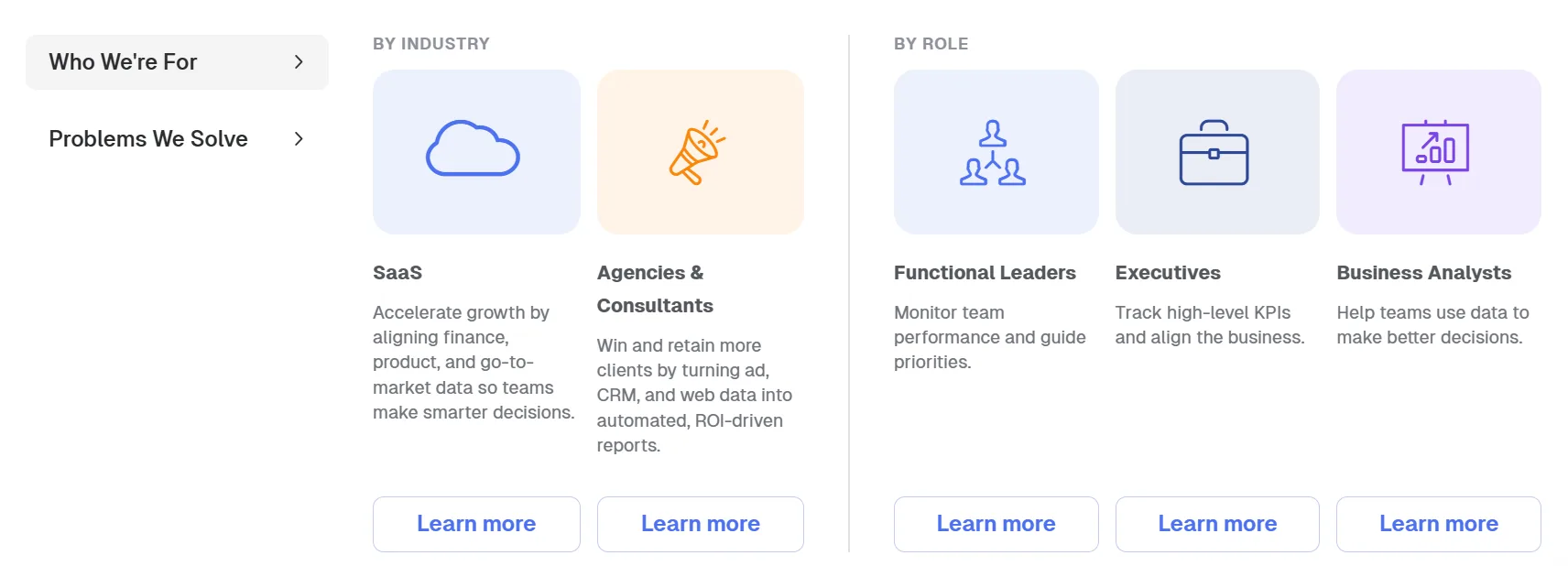
Who it’s for: Growing businesses and agencies that want AI-generated insights, 15-minute data sync, advanced forecasting, and OKR tracking. The plan most businesses will grow into within 1–2 years of using Databox seriously.
Growth adds the features that make Databox intelligent, not just visual:
AI-generated analysis — The platform writes summaries of what’s happening, so you don’t have to interpret every chart.
15-minute sync — Near real-time data for dashboards you check multiple times a day.
OKR and Forecast Modeling — Set strategic goals, run forecast scenarios, and keep every team accountable to shared objectives.
White-labeling included (for agencies) — Your brand, your client dashboard.
For agencies using Databox to manage client reporting, the Growth plan is where the real client-facing value is. The AI summaries alone save hours per month on report writing.
Premium Plan — $799/month
Who it’s for: Large companies and enterprise agencies that need real-time data, maximum historical access, dedicated support, and enterprise-grade features.
Adds real-time sync, premium support, and a dedicated Reporting Specialist who reviews your dashboards and provides ongoing improvements. For organizations where data is a core business function, not just a reporting tool.
👍 Pros & Cons of Databox
Pros
- Free plan is genuinely useful — 3 data sources, unlimited dashboards, unlimited users
- 14-day free trial with full Growth access and no card required
- 130+ integrations covers almost every major business tool
- Multiple billing cycles (monthly, quarterly, annual) give flexibility
- New MCP integration allows AI assistants to query your Databox data
- AI-generated insights save time on analysis and reporting
Cons
- No public coupon codes — savings come from annual billing and plan selection
- White-label is an add-on on Professional (not included in base price)
💡 How to Save Money on Databox
1. Start free, test everything. The 14-day Growth trial gives you full access with no card. Build your dashboards and see if they deliver value before committing.
2. Choose annual billing. Annual pricing is the lowest per-month rate. Databox also offers quarterly billing as a middle option.
3. Manage data sources actively. Every source above 3 costs $6/month. Disconnect sources you don’t actively use. Don’t pay for connections you’re not checking.
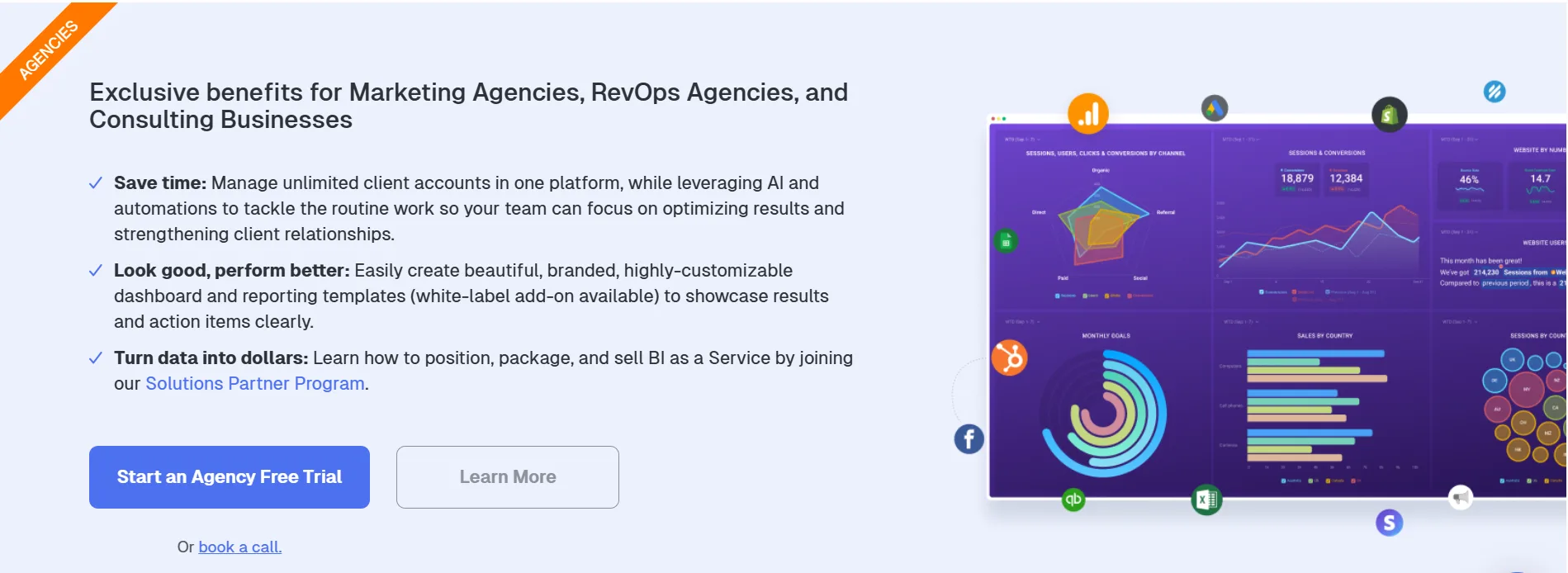
4. Agency partners get reduced data source costs. If you’re an agency, apply to Databox’s Partner Program for cheaper per-source pricing — the main lever that makes Databox more affordable at scale.
5. Start on Professional, not Growth. Test Professional first if you don’t immediately need AI insights or 15-minute syncs. You can always upgrade.
❓ Databox Coupon Code FAQs
Does Databox have coupon codes?
Databox doesn’t offer public promo codes. The best savings come from annual billing, the free plan, and the 14-day trial. Contact their team for custom pricing if you’re a large buyer.
How does the 14-day free trial work?
You get full Growth plan access for 14 days, no credit card required. At the end, you pick your plan and start paying.
What is a data source in Databox?
A data source is a specific account or property you connect. One Google Analytics connection with 3 different GA4 properties = 3 data sources. This is important to understand before estimating your cost.
Is Databox good for agencies?
Yes — agency pricing starts at $79/month (Starter), includes client accounts and reporting features, and scales up to full white-labeling on Growth.
Does Databox work with Shopify?
Yes. Shopify is one of Databox’s most popular integrations. You can pull sales, orders, revenue, customer data, and conversion rates into your dashboards.
What is the MCP feature?
MCP (Model Context Protocol) lets you connect Databox to AI tools like Claude or ChatGPT. You can ask questions about your metrics in plain language and get instant answers — no dashboard needed.
Can I white-label Databox for clients?
Yes — on Growth plan and above. Your logo, your domain, your branding. Clients never see Databox.
🆚 Databox Alternatives
Google Looker Studio — Free, Google’s native dashboarding tool. Less polished than Databox, no AI insights, but completely free with native Google integrations.
Whatagraph — Strong for agency reporting and white-labeling. More expensive than Databox on comparable tiers.
Klipfolio — Flexible dashboards, competitive pricing. Less AI-powered than Databox’s Growth plan.
Supermetrics — Focuses on data pipelines rather than dashboards. Often used alongside Looker Studio.
DashThis — Simple, clean dashboards built for agencies. Good alternative if you find Databox overwhelming.
Bottom line: Databox leads in AI-powered analysis and breadth of integrations for a mid-market business intelligence tool. For agencies that want white-labeled client dashboards with automated insights, it’s one of the strongest options available.
🔗 Quick Links
🚀 Final Verdict: Is Databox Worth It in 2026?
Yes — for businesses that take reporting seriously.
The free plan is generous enough to start. The 14-day Growth trial lets you test the full platform properly. Annual billing on Professional or Growth gives you the best per-month rate.
The key value: instead of manually pulling data from 10 different tools every Monday morning, Databox pulls everything together and even writes the summary for you. That’s hours saved every week for marketing managers and agency account teams.
Start your 14-day free trial at databox.com. No card needed.
Comments
Be the first to leave a comment.