


Nutshell CRM is an easy-to-use sales CRM designed mainly for small and growing businesses. It helps teams manage contacts, track leads and deals, automate sales tasks, sync emails and calendars, and analyze sales performance.
Pros
- Easy to use with a clean, intuitive interface.
- Strong pipeline management with customizable sales pipelines and multiple views.
- Email and calendar integration with tools such as Gmail and Outlook.
- Extensive integrations, with 5,000+ software integrations available.
- Sales automation reduces repetitive tasks and helps teams stay on top of follow-ups.
- Powerful reporting and analytics for tracking sales performance and forecasting.
Cons
- Advanced features can require higher-tier plans, particularly some automation and reporting capabilities.
- May feel limited for highly complex enterprises that need extremely advanced customization or sophisticated CRM workflows.
starting with $13 per month
Try NowNutshell is a CRM that helps sales teams manage leads, track deals, and close sales more efficiently. I signed up and tested it myself, including its AI features, pricing, and customer support. Here’s my honest Nutshell CRM review based on that experience.
What Is Nutshell?
Nutshell is a CRM company based in Ann Arbor, Michigan, in the United States. It was started in 2009 by four people: Andy Fowler, Guy Suter, Ian Berry, and Lindsay Snider.
These four had worked together before at another company. That company was bought by Barracuda Networks. After that, they came back together and built Nutshell.
In October 2022, a marketing company called WebFX bought Nutshell. Nutshell still runs as its own product today. The company has around 80 to 90 employees.
Nutshell has over 1,400 reviews on G2, a site where real users rate software. Its average score is about 4.3 to 4.4 out of 5 stars. Nutshell also won a “Leader” badge on G2 for Winter 2026.
One small business owner said in his Nutshell CRM review, “Finally a CRM that a sales team loves and is simple to use.”
Nutshell is built for small and medium businesses. It is not made for huge companies like Salesforce is. It focuses on being simple and easy to use, while still being powerful enough for real sales teams.
Signing Up: What It Actually Feels Like
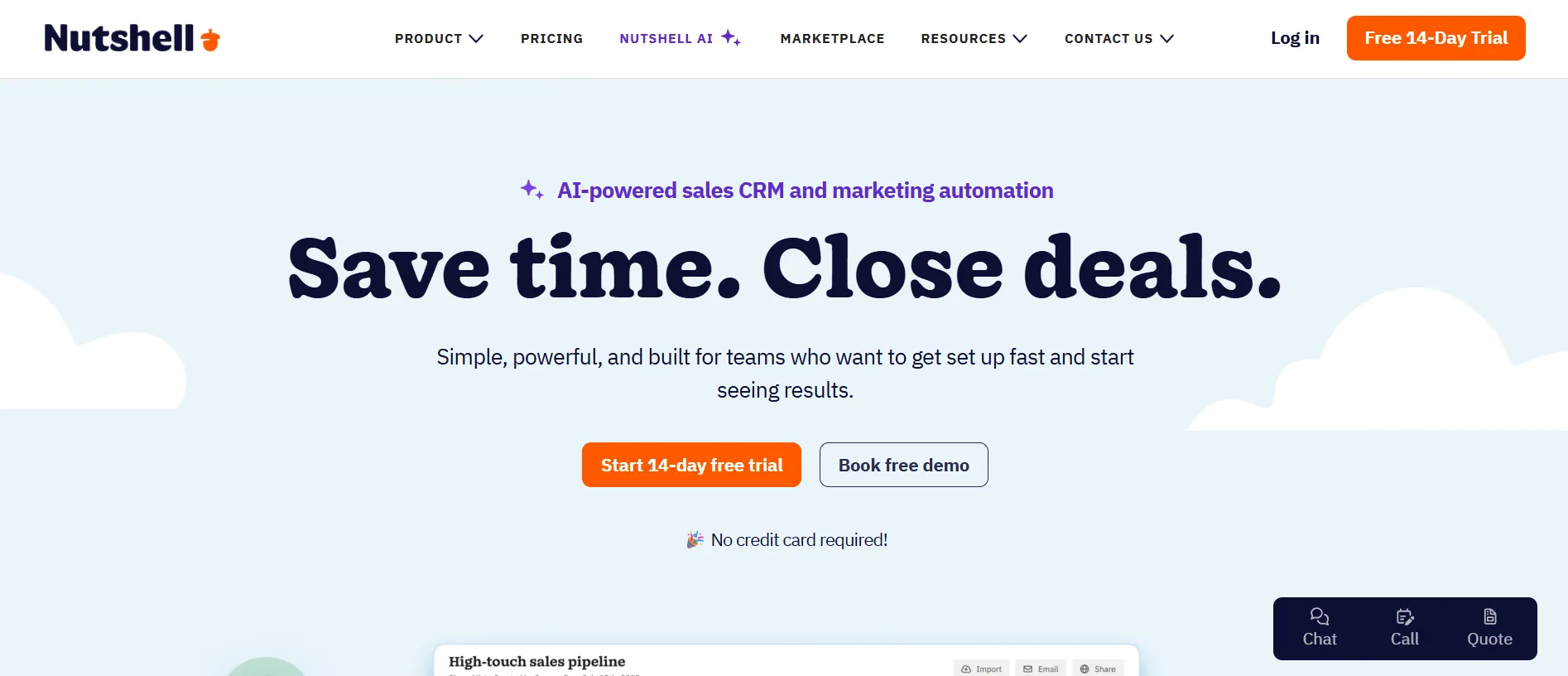
I signed up for the free trial myself. The process was fast. You can sign up using your Google account, your Microsoft account, or just your name, email, and a password.
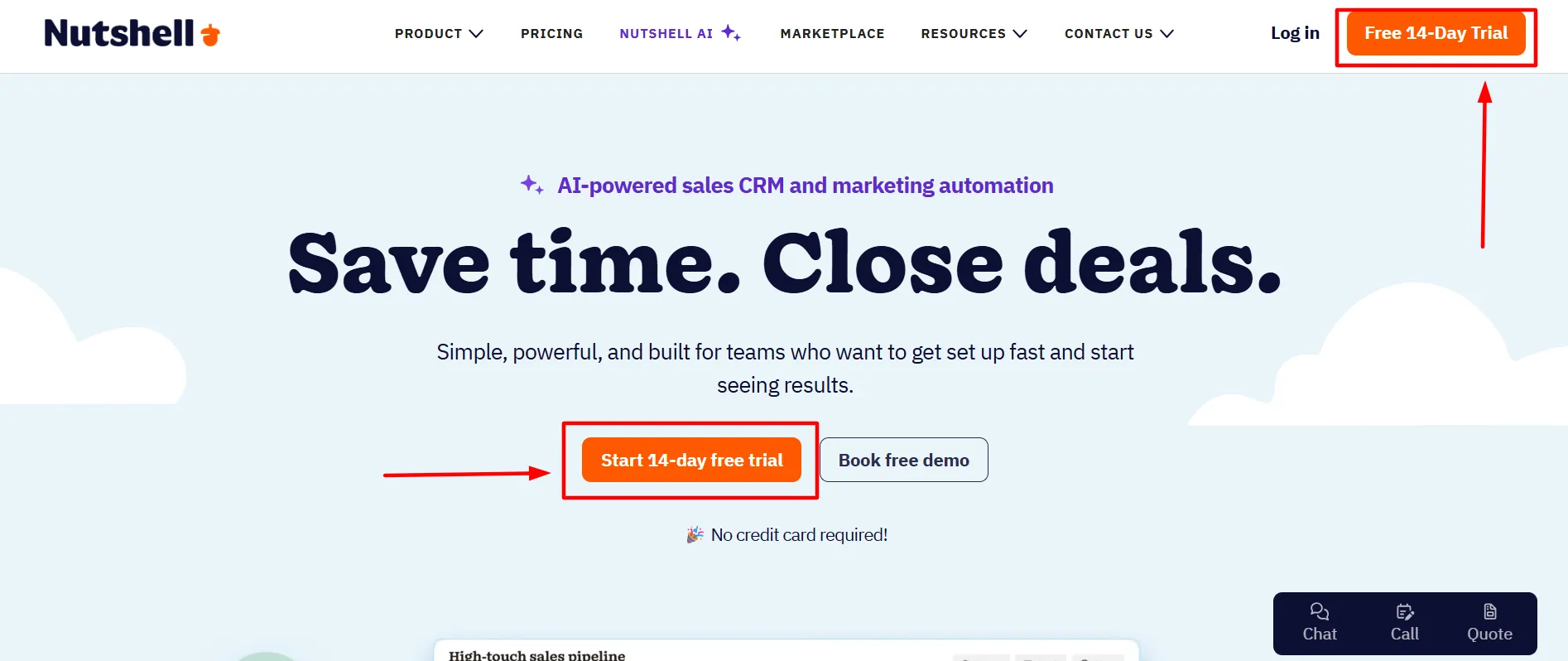
No credit card is needed. This matters a lot. Many software companies ask for your card details even for a “free” trial. Nutshell does not do this. You can cancel anytime with zero risk.
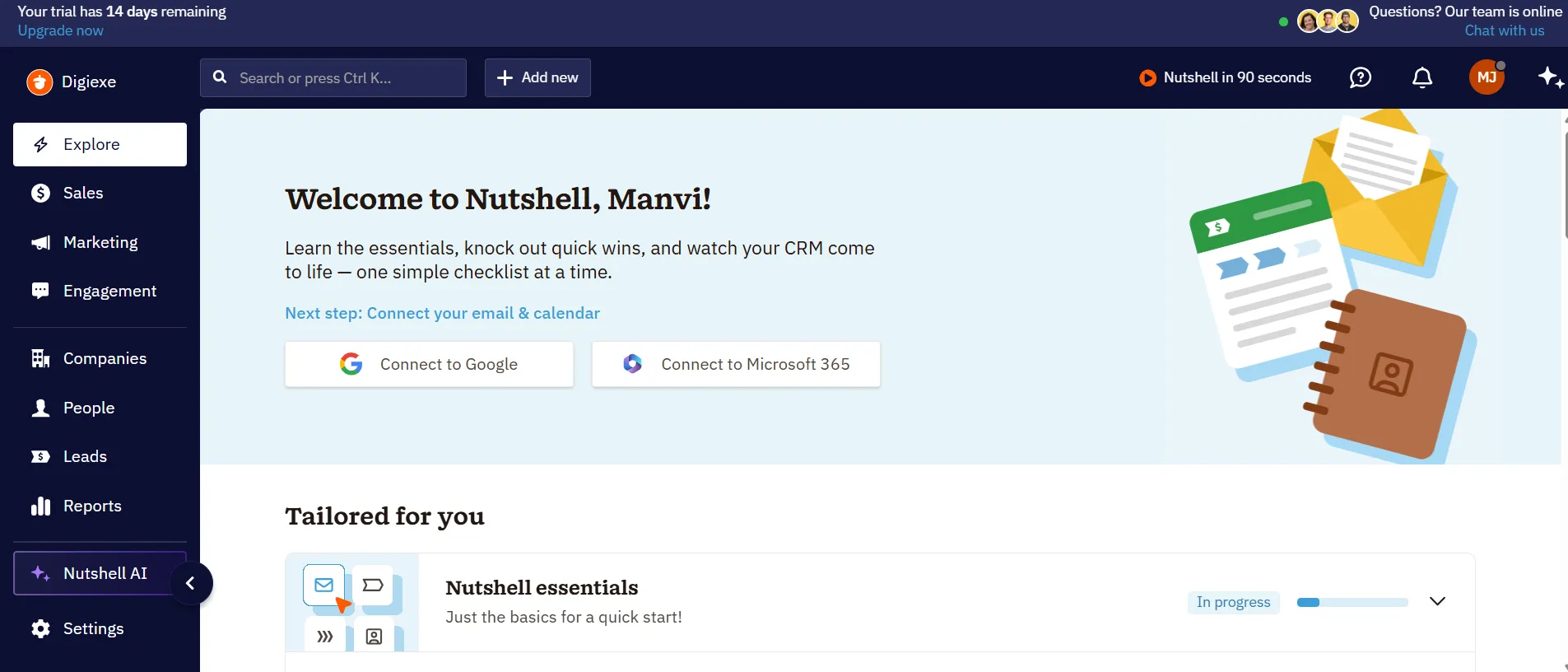
Once inside, I saw a clean dashboard. The main screen shows your sales pipeline. A pipeline is just a visual way to see where each deal is, from “New Lead” to “Won.” Nutshell calls this a “High-touch sales pipeline.”
You can see each company, each contact person, and how much money the deal is worth. Deals are shown as cards you can drag from one stage to the next. This part felt smooth and easy to understand, even for someone new to CRMs.
Nutshell Core CRM and Sales Features
The heart of Nutshell is its sales tools. Here is what I found inside:
1. Visual Pipeline Management
You can build a pipeline that matches how your team actually sells. Stages can be custom.
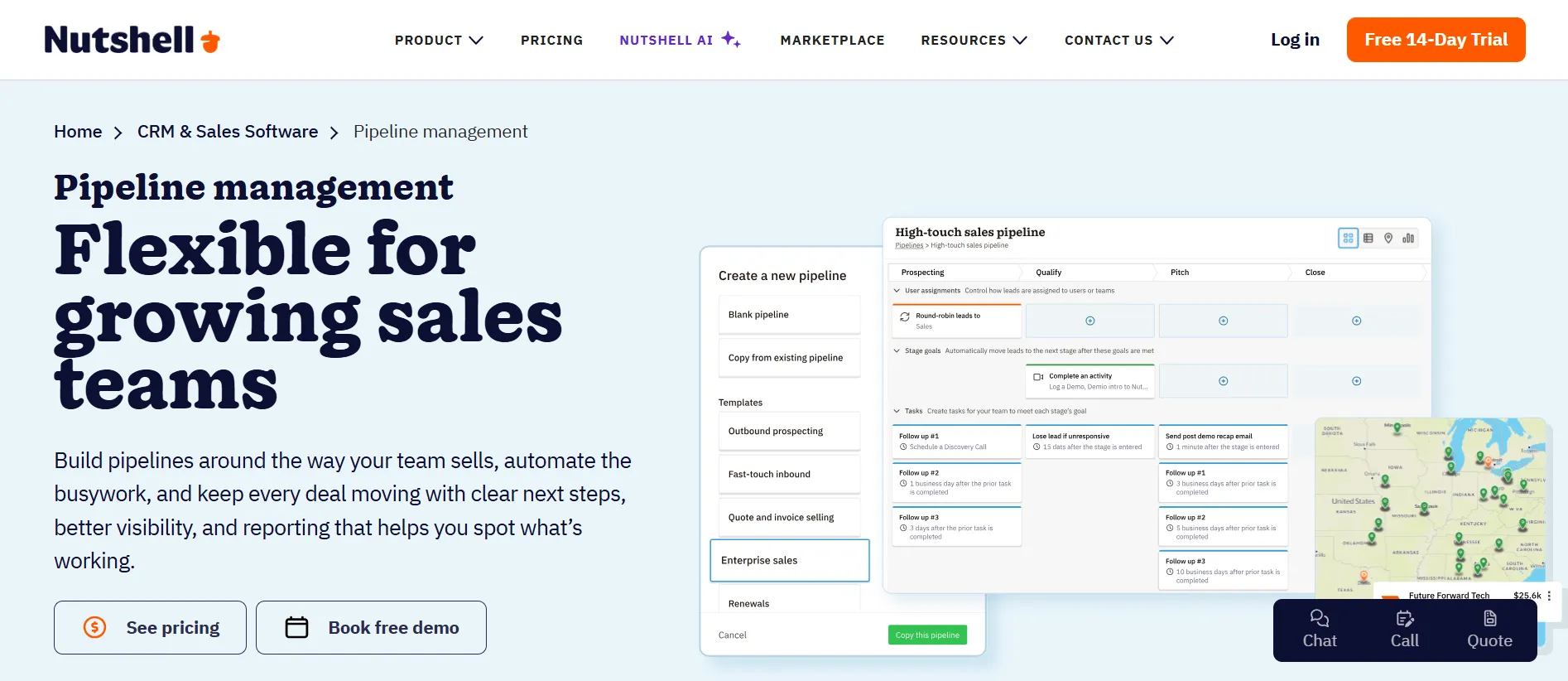
You can filter deals by team member, by deal status, or by “hot” deals only. Each deal card shows the company name, the contact person, and the value.
2. Prospecting
Nutshell has a built-in tool to find new leads and new contacts.
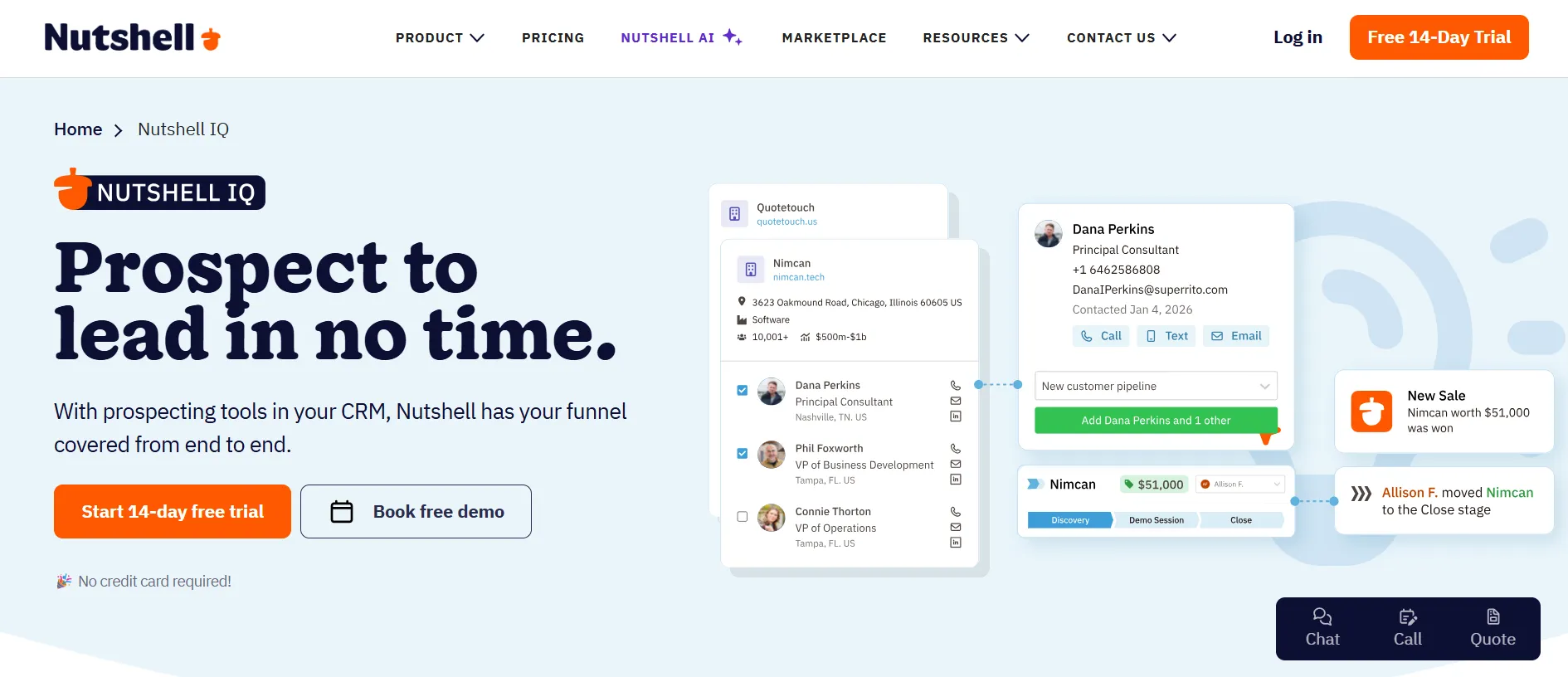
This means you do not always need to import lists from outside. You can search for new business contacts right inside the CRM.
3. Proposals and Invoices
You can create and send quotes, invoices, and contracts directly from Nutshell.
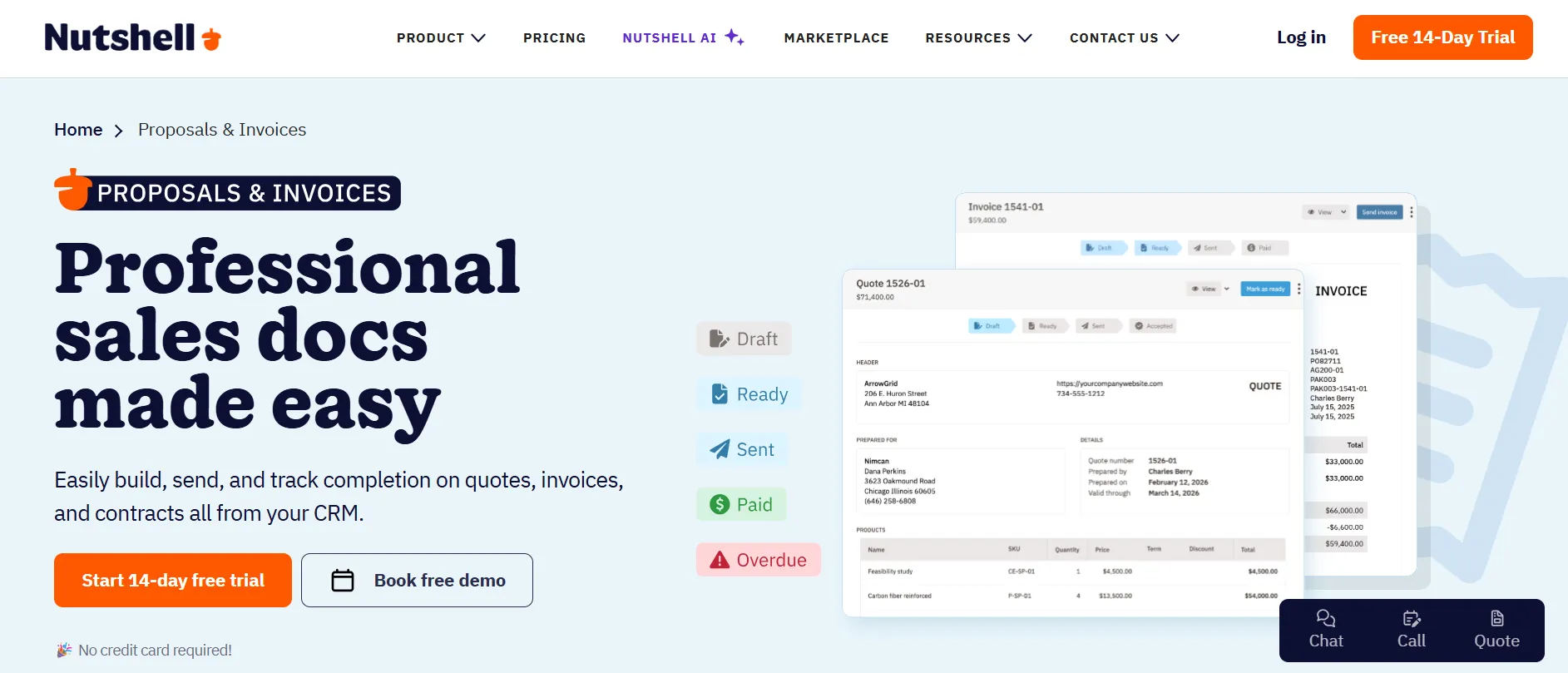
This is useful because you do not need a separate tool just for sending a quote to a client.
4. Reporting
Nutshell can build sales reports and forecasts almost instantly. You do not need to be a data expert to use this.
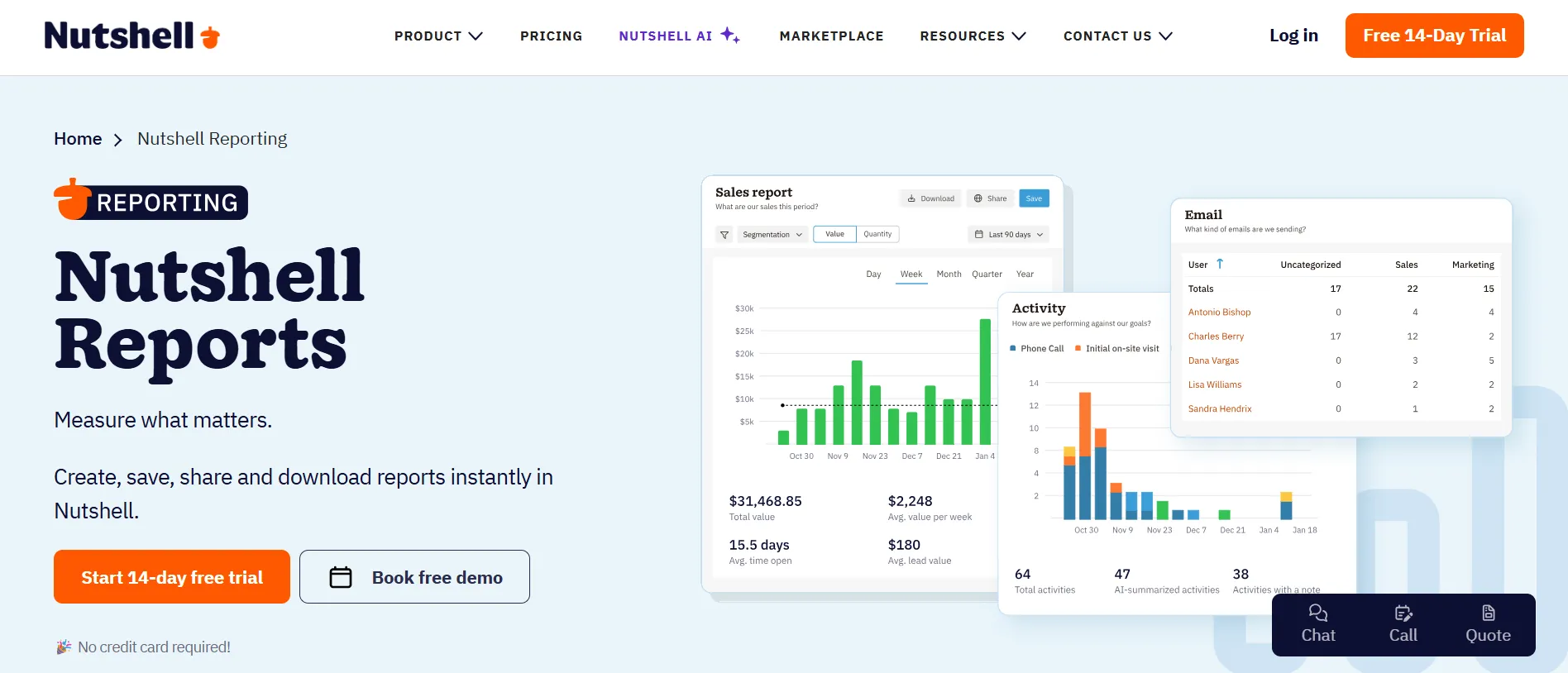
The reports show you what is selling, who on your team is closing deals, and what your pipeline looks like as a whole.
5. Mobile App
Nutshell has apps for both iPhone and Android. I tested the mobile app briefly. It lets you check your pipeline and contacts on the go. It is useful for quick checks, though I found the desktop version has more depth.
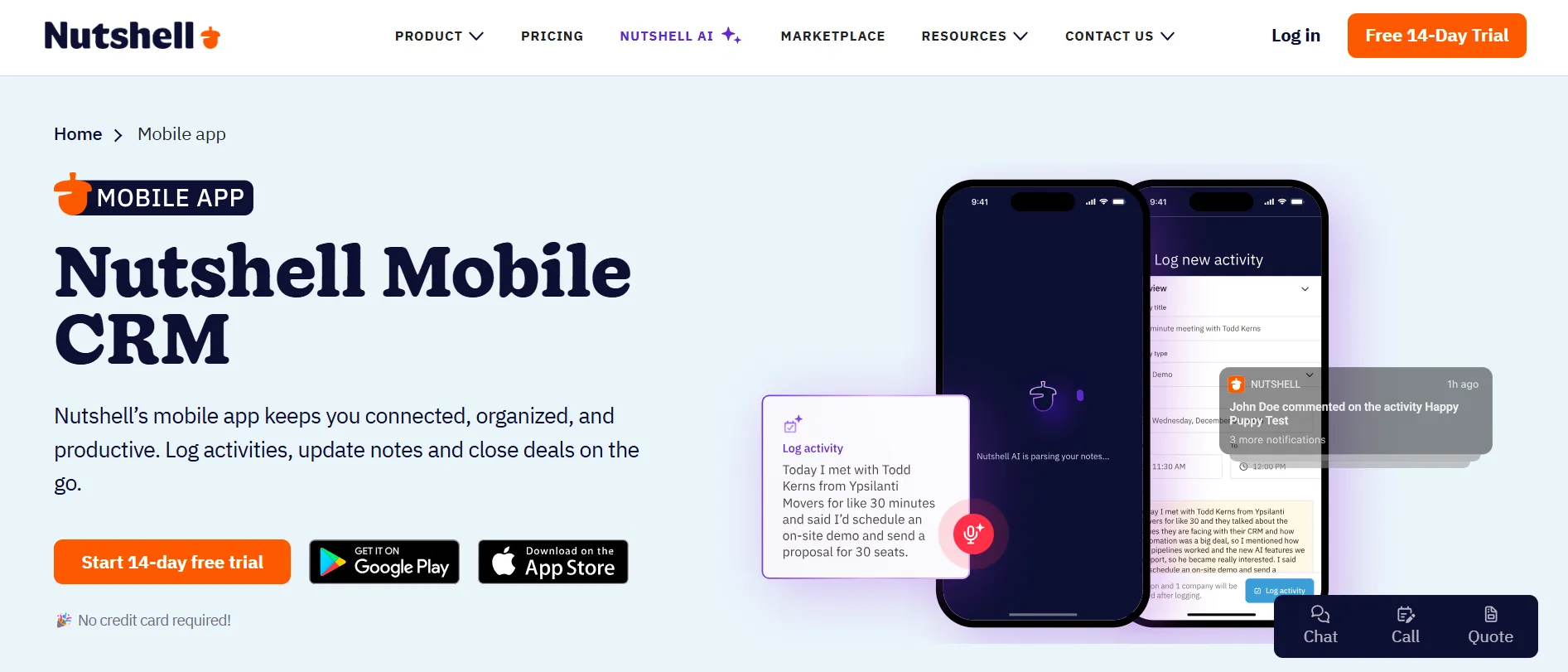
One outside reviewer, SalesRobot, said the same thing in their own Nutshell CRM review: the mobile app is not as full-featured as the desktop version.
6. CRM Advisor
This is a nice touch. Nutshell gives you a dedicated point of contact, a real person, to help you get the most out of the tool.
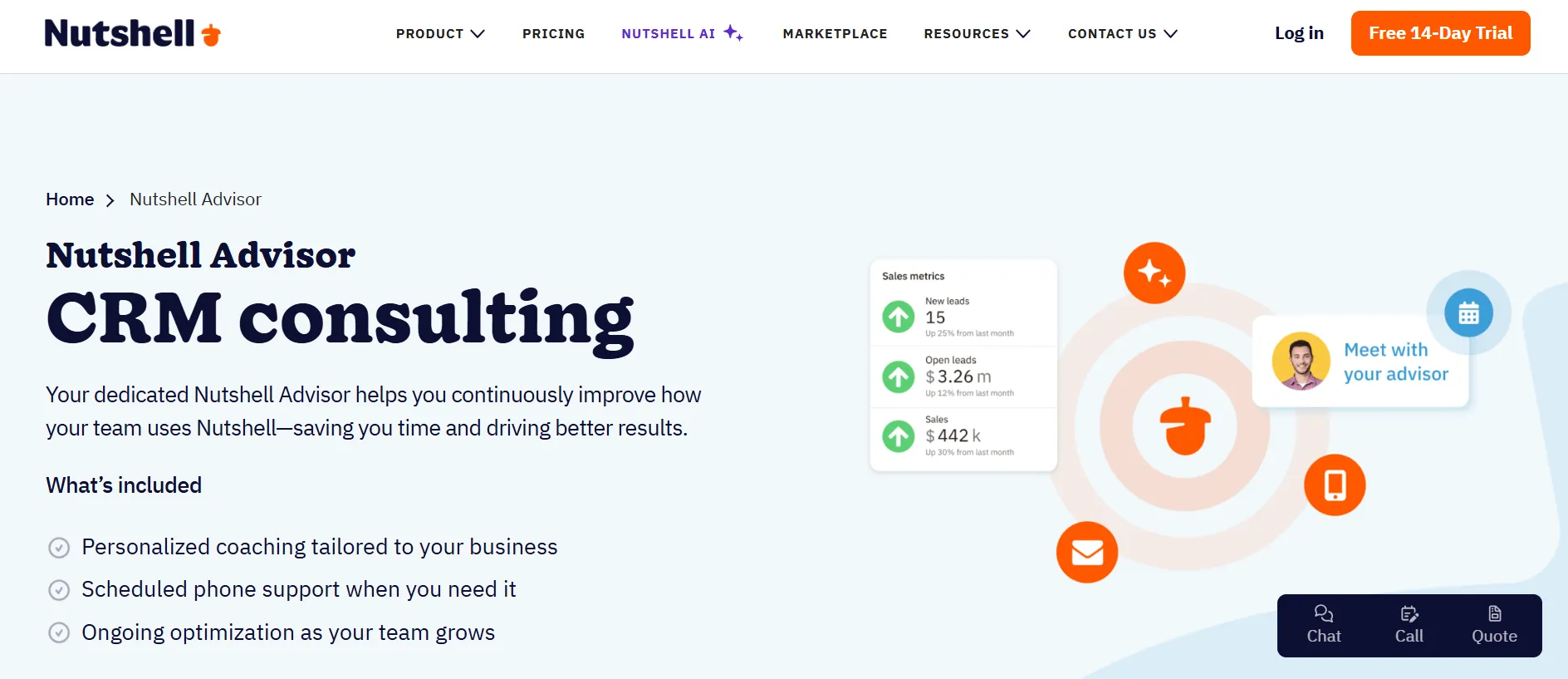
This is not just a chatbot. It is meant to be an actual human who understands your account.
Marketing Tools of Nutshell
Beyond sales, Nutshell also includes marketing features, though these come as a separate add-on called Marketing Pro. This costs $49 per month for the whole company, not per user.
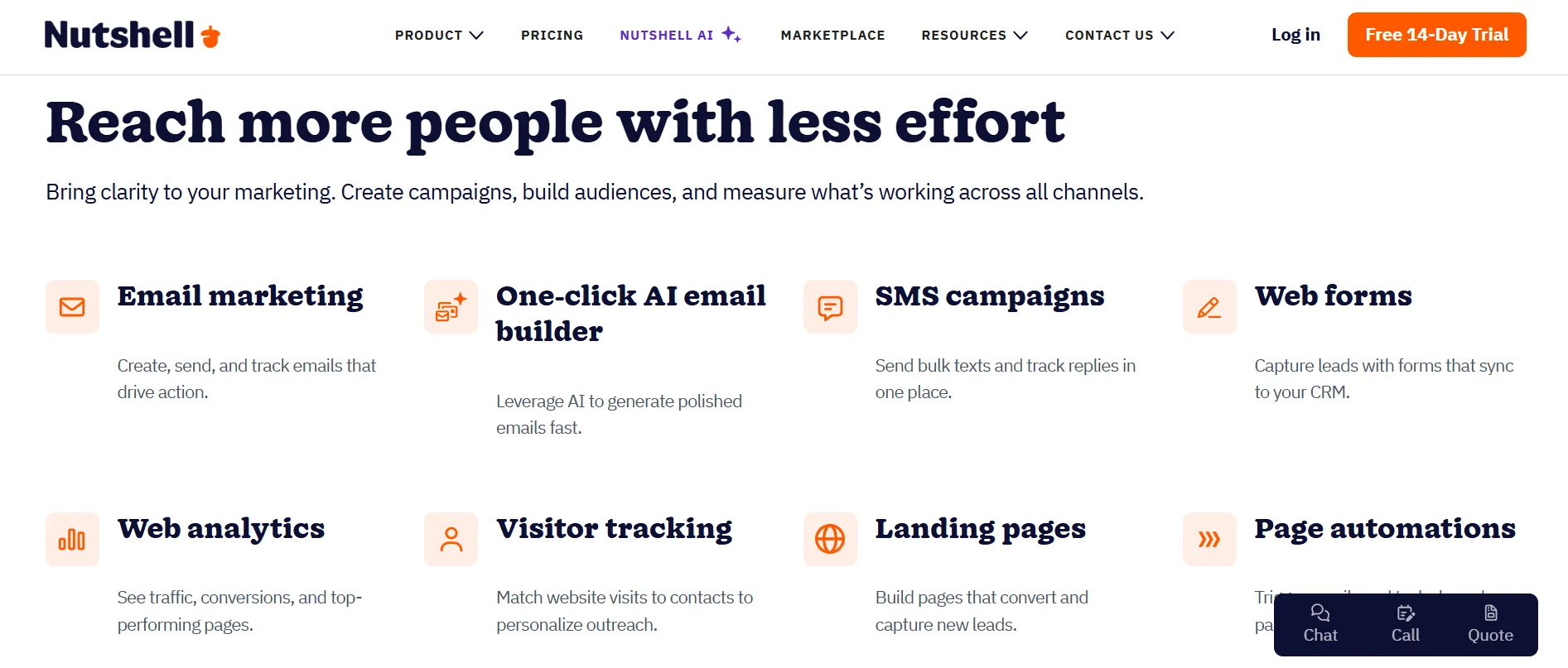
Inside Marketing Pro, you get:
Email marketing campaigns
Signup forms for your website
Landing pages you can build without a developer
This means small businesses do not need to buy a separate tool like Mailchimp just to send marketing emails.
It is built right into the same system as your sales data. That way, your marketing team and sales team look at the same customer information.
Engagement Tools of Nutshell
Nutshell also has an “Engagement” feature. This covers how you talk to customers outside of email.
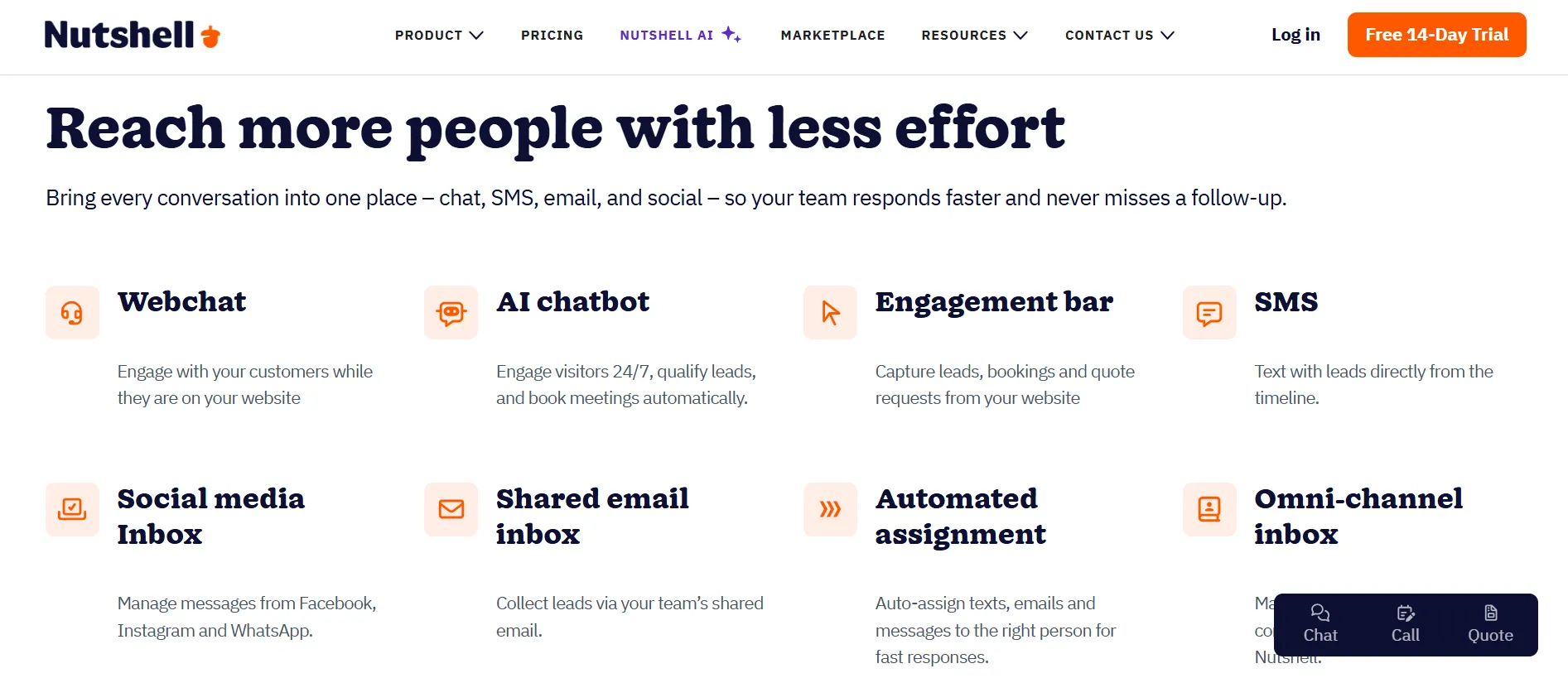
It includes:
Webchat on your website
SMS text messaging
WhatsApp messaging
One shared inbox that holds all these channels together (Nutshell calls this the “Omni-Channel Inbox”)
There is also a specific add-on called Engagement SMS, priced at $16 per user per month. It includes two-way SMS chats, a local phone number for your business, 150 free messages each month, and automation for SMS messages.
This is useful if your sales process relies on quick text conversations with leads, which many small businesses do today.
Nutshell AI: What It Actually Does
This is one of the biggest parts of Nutshell in 2026. Nutshell markets itself as an AI-first CRM. I want to explain this clearly, because “AI” can mean many different things depending on the software.
Nutshell splits its AI into two types: AI Assists and AI Agents.
1. AI Assists
They are small helpers built into your everyday work. They come included with your plan, and you can use them without limits. The main ones are:
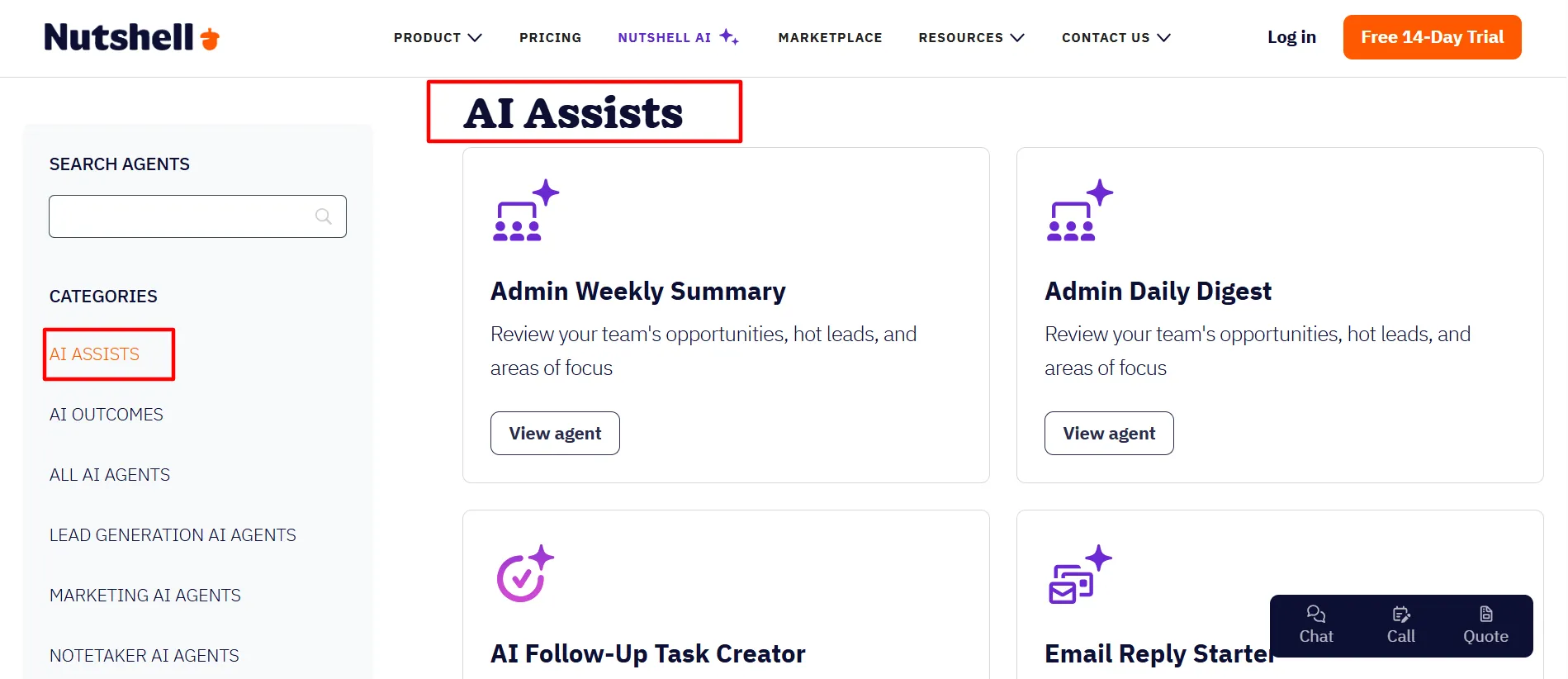
Notetaker (voice-to-text). You speak, and Nutshell turns your words into written text. You can use this to log a call, write a note, or even write an email, just by talking instead of typing. I tested this feature, and it worked well for simple notes during a mock call. It currently only supports English.
Timeline Summarization. This looks at all the past activity with a contact, calls, emails, notes, and creates a short summary. This saves time before a follow-up call, since you do not need to scroll through months of history.
AI Email Starters. This helps you write the first draft of an email, so you are not staring at a blank box.
2. AI Agents
They are a newer, deeper layer. These are like small AI workers that do a specific job for you:
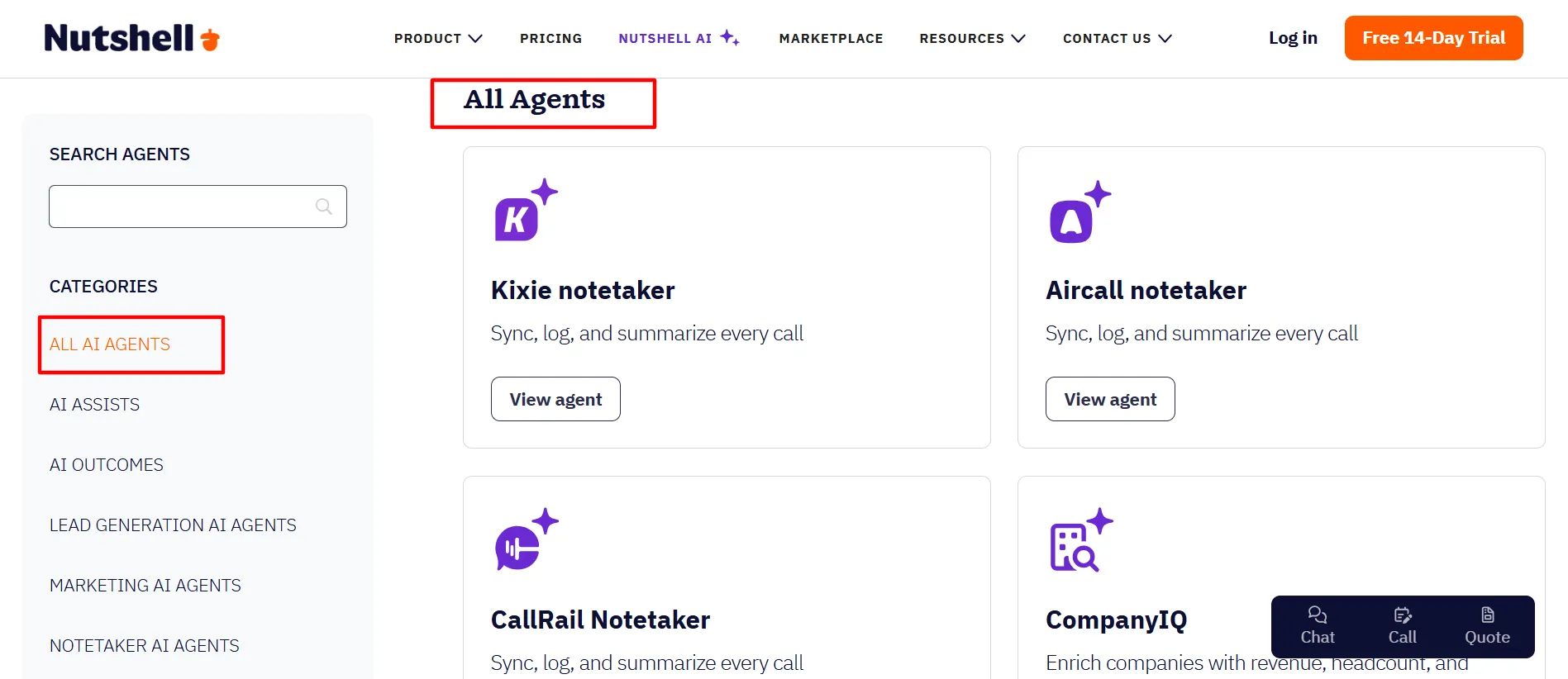
AI Sales Chatbot. This talks to visitors on your website 24 hours a day. It can capture their name, email, and interest, and then book a meeting or send the message to your sales team.
Lead Researcher. This agent gathers background details about a lead or company, so your sales rep understands who they are talking to before the first call.
CallRail Notetaker. If you use CallRail for phone calls, this agent will sync, log, and summarize every call automatically.
Google Meet Notetaker. This one joins your Google Meet calls, listens, and writes a summary directly into Nutshell afterward.
Nutshell says research shows AI CRM tools can save sales reps more than 2 hours a day on things like note-taking and data entry. Even if the real number is a bit lower for your team, the idea makes sense.
Every minute not spent typing notes is a minute spent talking to a real customer.
One thing I want to point out clearly: unlimited Notetaker usage is only included on the Business and Enterprise plans. Lower plans get a limited number of transcriptions each month.
So if AI voice-to-text is a big reason you want Nutshell, keep this in mind while picking your plan.
Integrations: Connecting Nutshell to Other Tools
No CRM works alone. You will always need to connect it to your email, calendar, and other business tools. Nutshell connects to over 5,000 apps.
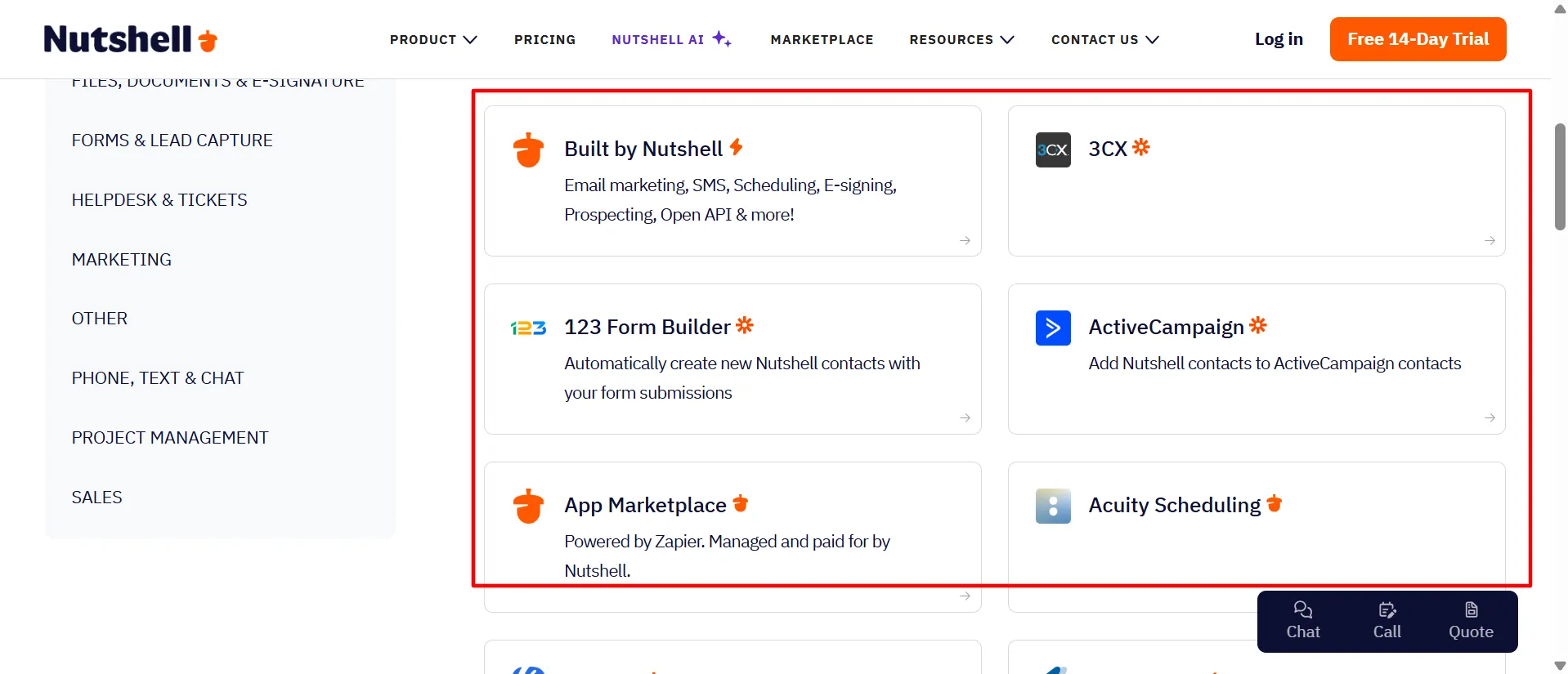
Here is how that actually works, since “5,000 apps” can sound like marketing talk if not explained properly:
Tools Built by Nutshell. These are made by Nutshell’s own team. They work smoothly since Nutshell built them to match its own system.
Instant Integrations. Some tools can be connected right inside the Nutshell app, with just a few clicks.
App Marketplace (via Zapier). For many other tools, Nutshell’s team will set up the connection for you using a service called Zapier. There are some limits here, since Zapier itself has usage costs.
Zapier Integrations You Set Up Yourself. If you are comfortable with Zapier, you can build your own custom connections.
Open API. This is available to every customer, on every single plan, even the cheapest one. This is actually generous. Many CRM companies lock API access behind their most expensive plan. Nutshell gives it to everyone. This is useful if you have a developer who wants to build something custom.
Nutshell also has an AI Marketplace and a Partner Marketplace, both open to all customers.
And in 2026, Nutshell added support for connecting AI assistants using something called MCP, so you could, for example, ask an AI assistant a question and have it pull real data from your Nutshell account.
Direct native connections include Google and Microsoft, which covers email and calendar syncing for most businesses right out of the box.
Pricing of Nutshell: Full Breakdown 2026
This is the part most people care about most, so let me be very clear and detailed. Nutshell has five main plans.
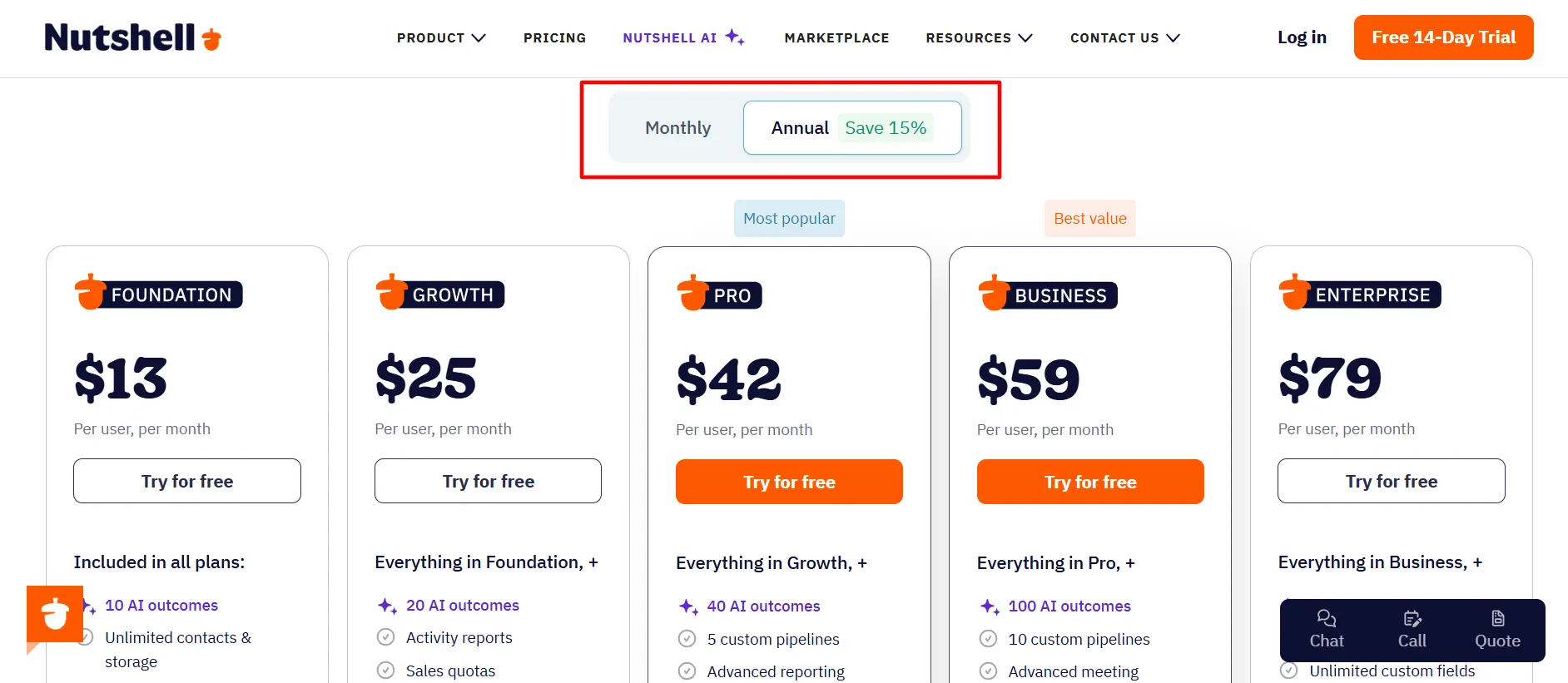
Prices below are per user, per month, when billed annually. Monthly billing costs more.
Plan | Annual Price | Monthly Price | Best For |
Foundation | $13/user/mo | $19/user/mo | Solo users and very small teams |
Growth | $25/user/mo | $32/user/mo | Small teams that are starting to grow |
Pro | $42/user/mo | $49/user/mo | Teams that need automation and multiple pipelines |
Business | $59/user/mo | $67/user/mo | Busy teams that use AI a lot |
Enterprise | $79/user/mo | $89/user/mo | Larger teams that need API access and advanced controls |
Choosing annual billing saves you money. The savings range from about 12% to over 30%, depending on the plan.
1. Foundation ($13/user/mo)
It includes the basics: unlimited storage, unlimited contacts and accounts, email and calendar sync, free live support, some AI Agents, and app connections.
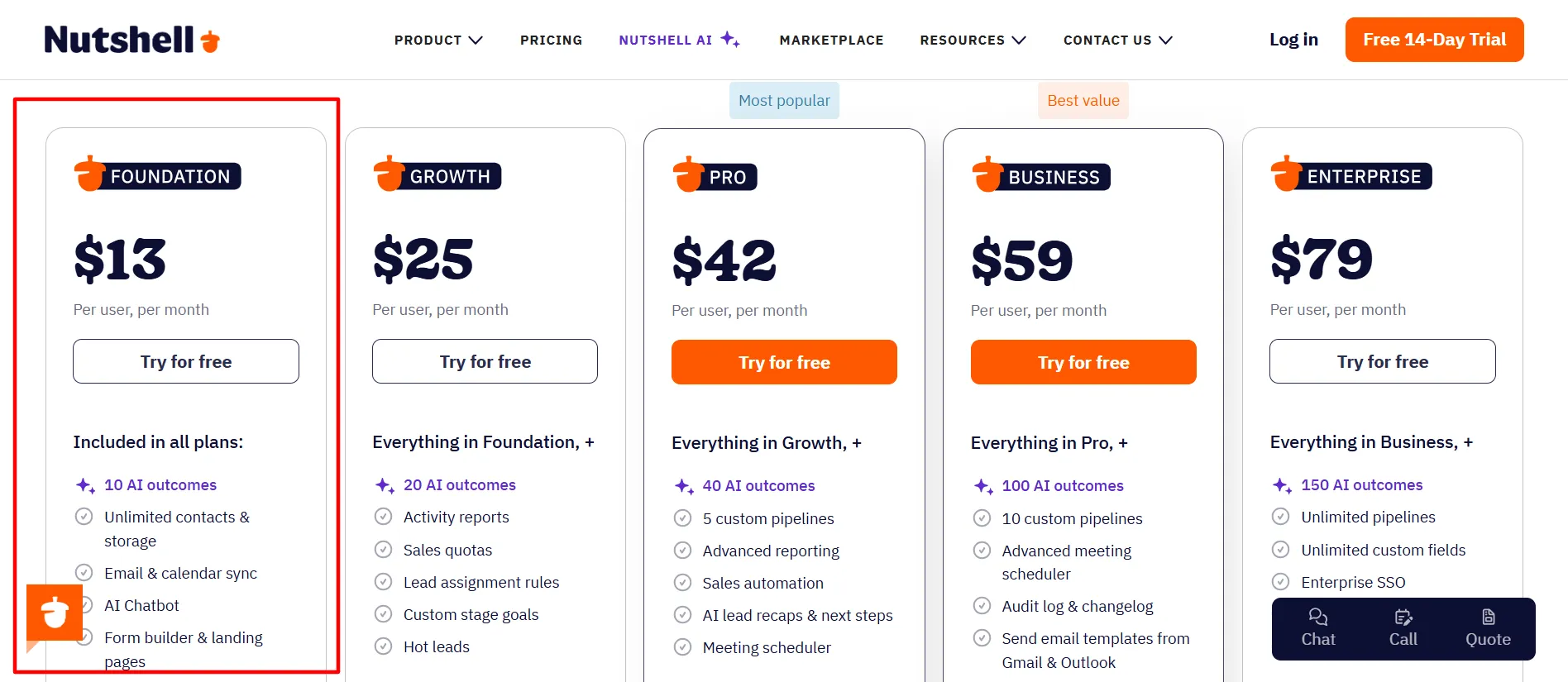
This plan is good if you are just starting out and want a simple, working CRM without paying much.
2. Growth ($25/user/mo)
It adds activity and email reports, sales quotas, rules for assigning leads automatically, and pipeline stage goals.
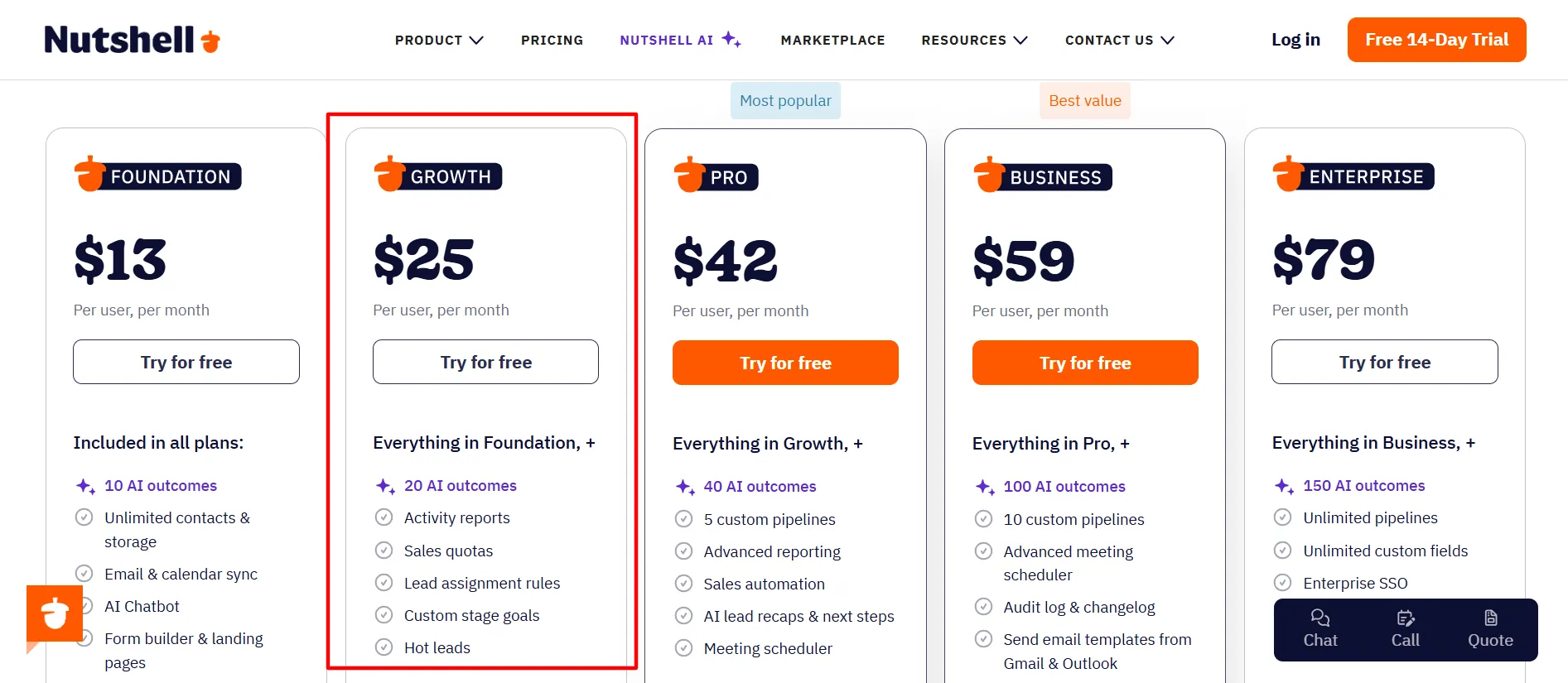
This is a good next step once your team is bigger than one or two people and you want to track performance more closely.
3. Pro ($42/user/mo)
It adds up to 5 customizable pipelines, email sequences, sales automation, and a full reporting suite.
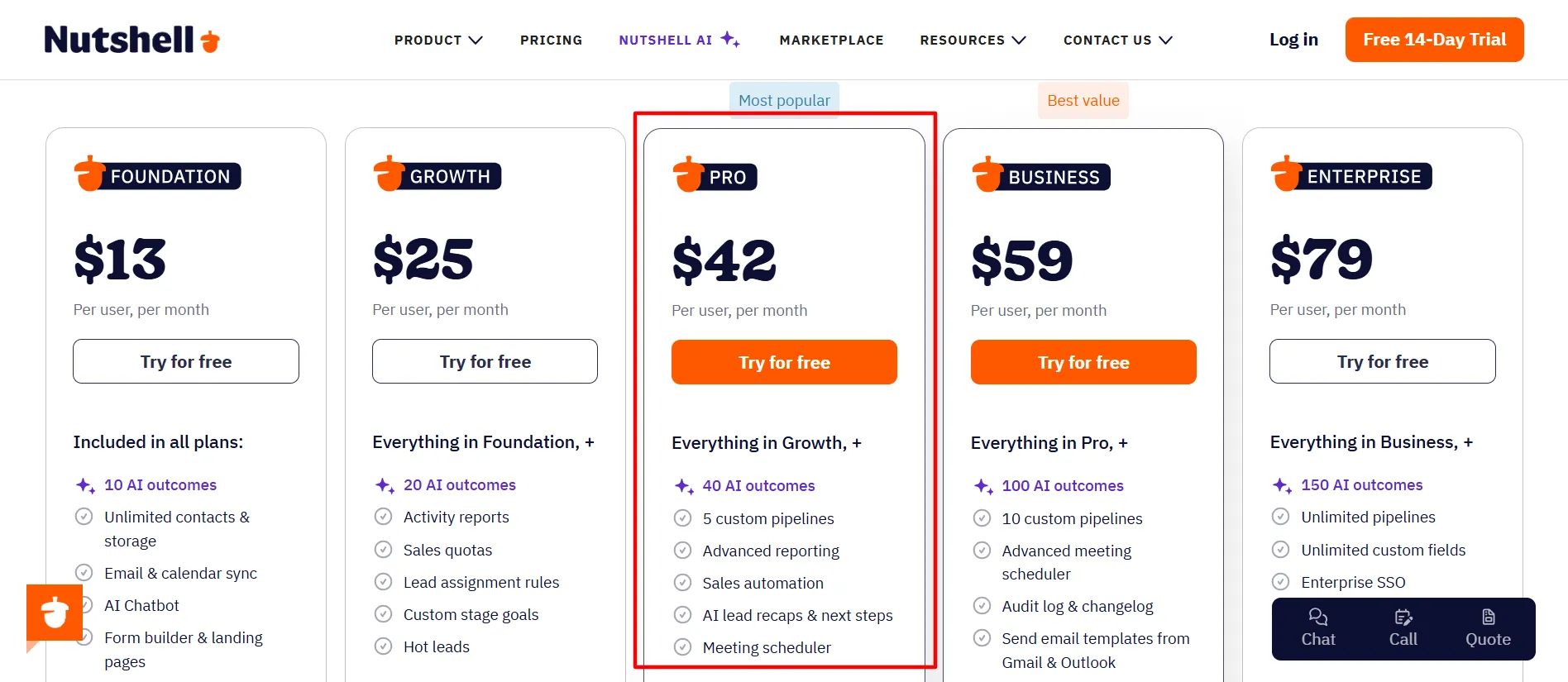
This plan is built for teams with a real, structured sales process, and it seems to be the most commonly picked plan among small and mid-sized businesses.
4. Business ($59/user/mo)
It adds more pipelines, more markets, better team management tools, unlimited use of the AI Notetaker, audit logs, and full meeting scheduling.
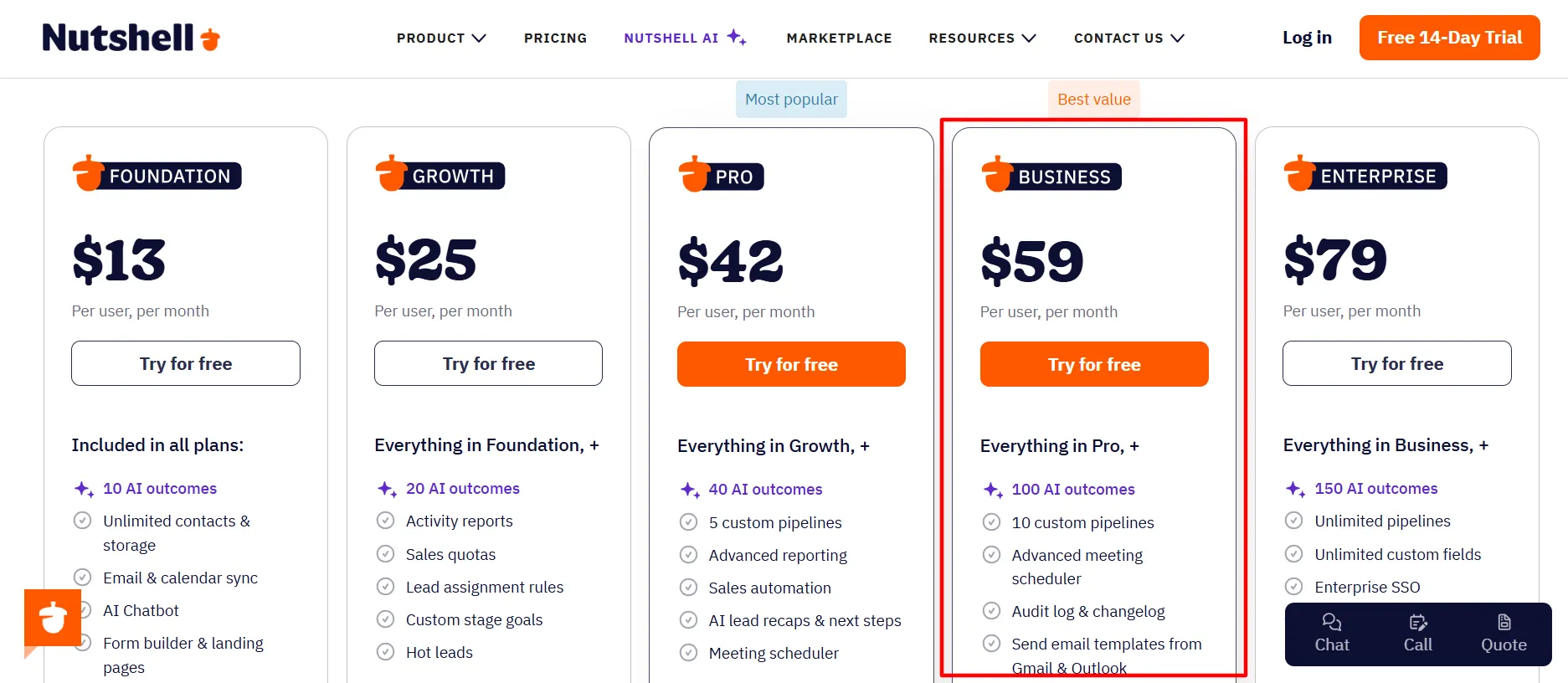
If your team relies heavily on AI voice-to-text and needs more admin control, this is the plan to pick.
5. Enterprise ($79/user/mo)
It adds custom reporting, advanced access controls, full API support, and phone support. This plan is for bigger or more complex sales teams that need the most control and the most support.
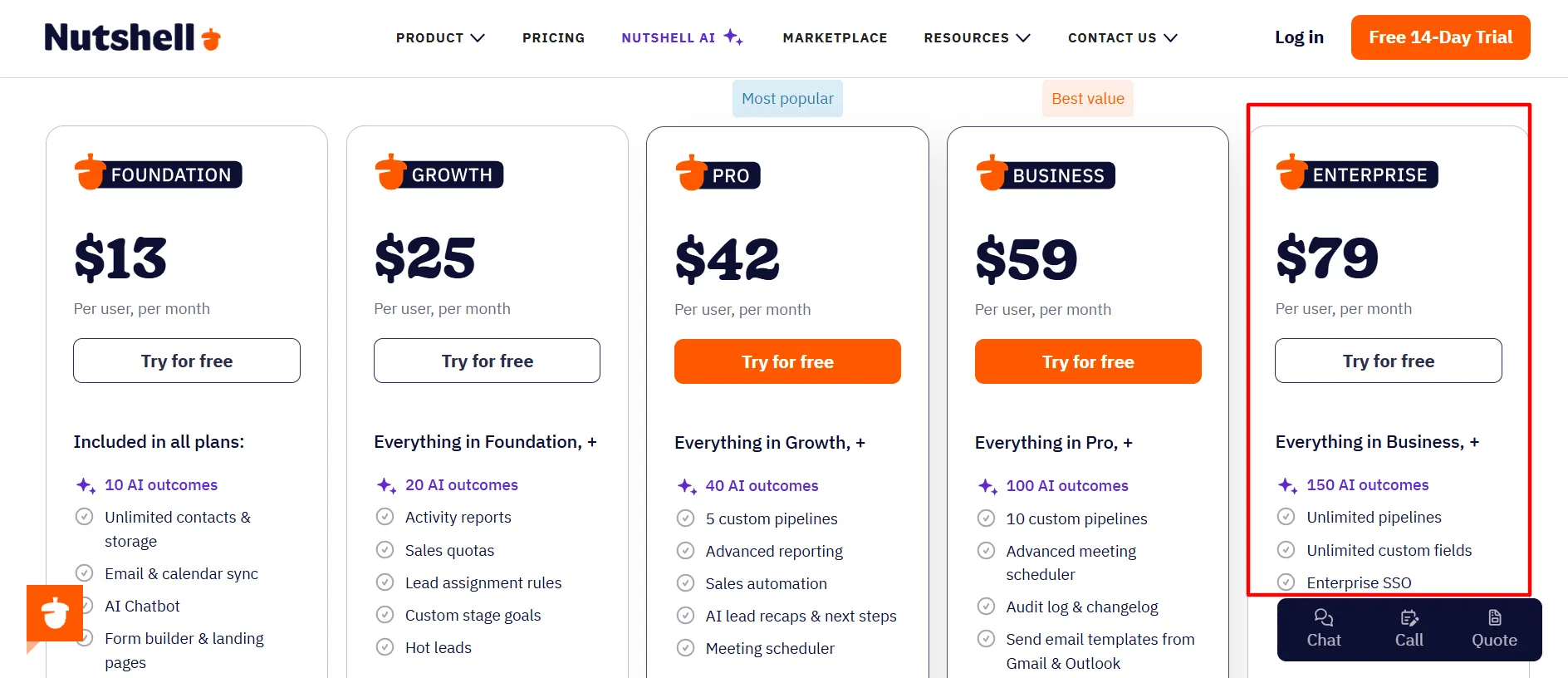
Add-ons, separate from the main plans:
Marketing Pro: $49/month, flat rate for the whole company, not per user
Engagement SMS: $16/user/month
One honest note: a review from CheckThat.ai pointed out something important. If your business needs API access specifically, jumping from a lower plan to one with full API support can raise your total bill by a large amount, since API-level features tend to sit on the higher-priced plans in most CRM tools.
Nutshell is actually better here than most, since basic API access is on every plan. But full, advanced API support with no limits is still an Enterprise-level feature.
Who Should Use Nutshell? Who Should Not?
Nutshell is a good fit if:
You run a small or medium-sized business
You want a CRM that is genuinely easy to learn, without weeks of training
You want AI tools included without paying extra for a separate AI add-on
You do not want to be locked into long contracts or high seat minimums (there are no seat minimums or maximums at all)
You want free live support even on the cheapest plan
Nutshell may not be the best fit if:
You run a very large enterprise with thousands of users and need extremely deep customization
You need very advanced marketing automation beyond simple email and landing pages (dedicated marketing platforms like HubSpot may go deeper)
You need heavy, no-limit mobile app functionality for a fully remote or field-based sales team
You need extremely deep integrations without depending on Zapier for many of them
Based on an outside review from SalesRobot, Nutshell’s biggest weak points are around customization limits, some integration and reporting depth, and mobile app functionality compared to more expensive, more complex CRM platforms.
I found this to be a fair and accurate point after testing it myself. Nutshell is not trying to be everything. It is trying to be simple, and for the most part, it succeeds at that specific goal.
Nutshell Free Trial: What You Actually Get
Nutshell offers a 14-day free trial. Here is exactly what that means:
No credit card required to start
Full access to try the product for 14 days
You can cancel anytime, with no penalty
You get free live support even during the trial
This is a genuinely low-risk way to test Nutshell. I would recommend actually building a real pipeline during your trial, not just clicking around.
Add a few real contacts, move a few deals through the stages, and try the AI Notetaker at least once. That is the only way to know if it truly fits how your team works before you commit any money.
Nutshell Support and Contact Options
Nutshell offers a few different ways to reach them, and I tested a couple during my time with the product:
Contact Sales: For questions or to book a 1-on-1 demo
Contact Support: Live chat inside the app, or by email
Contact Marketing: For questions about their website or marketing opportunities
Join a Demo: A group demo covering a general overview of Nutshell
Become a Partner: You can refer businesses to Nutshell and earn commissions
Careers: If you want to work at Nutshell
One detail that stood out to me: Nutshell offers free live support on every single plan, including the cheapest Foundation tier. Many software companies only offer live chat support to their most expensive customers.
Nutshell does not do that. Phone support specifically is reserved for the Enterprise plan, but live chat and email support are available to everyone.
FAQs: Nutshell CRM Review 2026
No, there is no permanent free plan. There is a 14-day free trial with no credit card required.
Plans range from $13 per user per month (Foundation, billed annually) up to $79 per user per month (Enterprise, billed annually). Monthly billing costs more across all plans.
Yes. The interface is simple, and the pipeline view is easy to understand right away, even without any past CRM experience.
Nutshell AI includes AI Assists (like voice-to-text Notetaker, timeline summaries, and email starters) and AI Agents (like a sales chatbot, lead researcher, and call notetakers for tools like CallRail and Google Meet).
No, Nutshell offers unlimited contacts and unlimited storage on every plan, including the cheapest one.
Phone support is included specifically on the Enterprise plan. All plans include free live chat and email support.
Yes, you can cancel anytime during the 14-day trial with no cost, since no credit card is required to begin.
Quick Links:
Final Thoughts: Nutshell CRM Review 2026
After using Nutshell for weeks, here is my honest opinion. It does exactly what it says it will do: it makes managing a sales pipeline simple, without needing a full-time CRM administrator.
The AI tools, especially the voice-to-text Notetaker and the automatic call summaries, genuinely save time once you build them into your daily habit. The pricing is fair for what you get, and having API access on every plan is a real plus that many competitors do not offer.
Where it falls a little short is in deep customization and in some of the more advanced marketing and integration areas, especially if you compare it to bigger, more expensive platforms like Salesforce or HubSpot.
But that comparison is not really fair, because Nutshell is not trying to be those tools. It is built for smaller teams who want something that works well without a steep learning curve.
If you are a small or medium business looking for a CRM that is easy to use, includes real AI tools without extra fees, and does not lock you into confusing contracts, Nutshell is genuinely worth your 14-day trial.
Build a real pipeline, try the AI Notetaker, and see how your team responds before making a final decision.
Comments
Be the first to leave a comment.