

Looking for an honest, current Semrush review? Here’s the short version: Semrush is still the most complete SEO platform I use, and 2026 has been its biggest year of change yet, from a brand overhaul to a full acquisition by Adobe.
I go through everything below, what’s new, what still works well, and what I’d skip.
What Semrush Actually Is in 2026
I’ve used Semrush for years, and I have to say, it doesn’t look or work like the tool I started with. The biggest news first: Adobe completed its acquisition of Semrush on April 28, 2026, in an all-cash deal worth $1.9 billion.
Semrush is now officially “an Adobe company,” though it still operates under its own name and continues serving its existing customer base, including smaller, non-enterprise users like me.
Before that, in March 2026, Semrush rolled out a full brand refresh. It now positions itself as a “unified intelligence engine” rather than just an SEO toolset, reflecting how much of its product now revolves around AI search visibility, not just Google rankings.
I’ll be honest, the branding language is a bit much, but the underlying shift is real. Semrush isn’t just tracking where you rank in Google anymore. It’s tracking whether ChatGPT, Gemini, or Google’s AI Mode mention your brand at all.
Semrush’s core strength has always been its data. It crawls the web independently, and as of this year, its database covers over 27.5 billion keywords and 43 trillion backlinks. That’s the engine behind every tool I’m about to walk you through.
The New Dashboard
The first thing I noticed logging back in this year is the dashboard itself. Semrush redesigned it with a cleaner, more modern layout, and honestly, it’s easier to navigate.
I used to lose time hunting through submenus for a specific report. Now the main tools sit front and center, and I don’t have to scroll through clutter to find what I need.
Semrush Copilot: The Feature I Use Daily Now
Semrush Copilot is the AI assistant built into the platform, and it’s become part of my daily workflow. Copilot reads your core SEO data, Site Audit results, Position Tracking, Organic Research, Keyword Gap, Backlink Analytics, and turns all of it into a prioritized task list.
Instead of me manually checking five separate reports every morning, Copilot flags what actually needs attention: a technical issue that’s hurting rankings, a competitor who just outranked me on a keyword, a backlink opportunity worth chasing.
It also has a “backlink detective” function that spots risky or spammy links pointing to my site, which used to take me a lot of manual digging to catch.
Is it perfect? No. Sometimes it flags something as urgent that really isn’t, and I’ve learned to use my own judgment rather than blindly following every suggestion. But as a daily starting point, it saves me real time.
AI Visibility Toolkit: The Big 2026 Addition
This is the feature everyone in SEO is talking about right now, and for good reason. Search itself has changed. People aren’t just typing into Google anymore, they’re asking ChatGPT, Perplexity, and Gemini directly. Semrush built a toolkit specifically to track how your brand shows up in those answers.
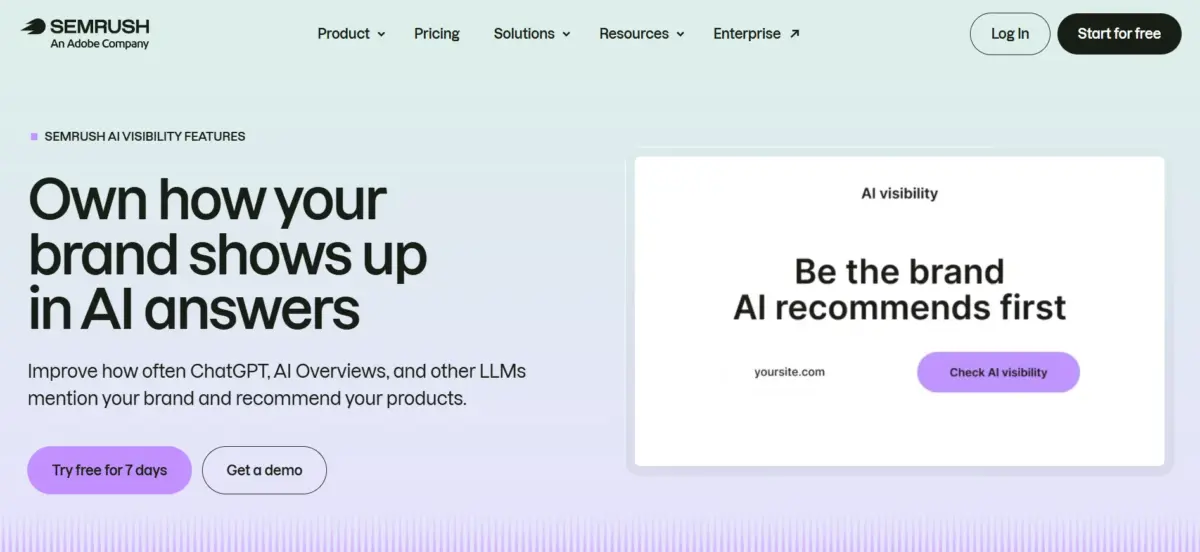
Here’s what it actually does, broken into its three modules:
Brand Monitor tracks share-of-voice, essentially, how often your brand gets mentioned in AI answers compared to your competitors, across specific topics and prompts.
AI SERP Tracker monitors prompt-level visibility. It shows you the exact prompts triggering AI answers in your category and reports which brands and URLs get cited for each one. It works a lot like a traditional rank tracker, but for AI answers instead of blue links.
Content Analyzer looks at your own pages and flags technical issues that might stop AI bots from properly reading or citing your content.
All of this runs on a database of over 130 million prompts, updated monthly. I tested it against my own site’s core topics, and I’ll admit, seeing exactly which prompts trigger AI mentions of competitors instead of me was genuinely useful. It’s not something Google Search Console or older SEO tools ever showed me.
One honest caveat here: this toolkit is still evolving. A few features Semrush has promised, like deeper competitor research and topic analysis within AI Visibility specifically, aren’t fully rolled out yet. If you’re expecting a mature, complete AI tracking suite on day one, temper that expectation a little.
Semrush One: Bundling Classic SEO With AI Visibility
Semrush launched Semrush One in October 2025 as a single subscription that combines the classic SEO toolkit with the AI Visibility Toolkit, so you’re not juggling two separate purchases. Pricing runs in tiers: Starter at $199 a month, Pro+ at $299 a month, and Advanced at $549 a month, with custom enterprise pricing above that.
If AI visibility is a genuine priority for your business this year, and for most content-driven sites, it probably should be, Semrush One is worth a look. If you’re only doing classic keyword and backlink work, you might not need it yet.
Site Audit: Still One of the Best in the Business
Site Audit remains one of my most-used tools, and it hasn’t lost its edge. It crawls up to 100,000 pages on the standard tiers and checks for more than 140 different technical issues.
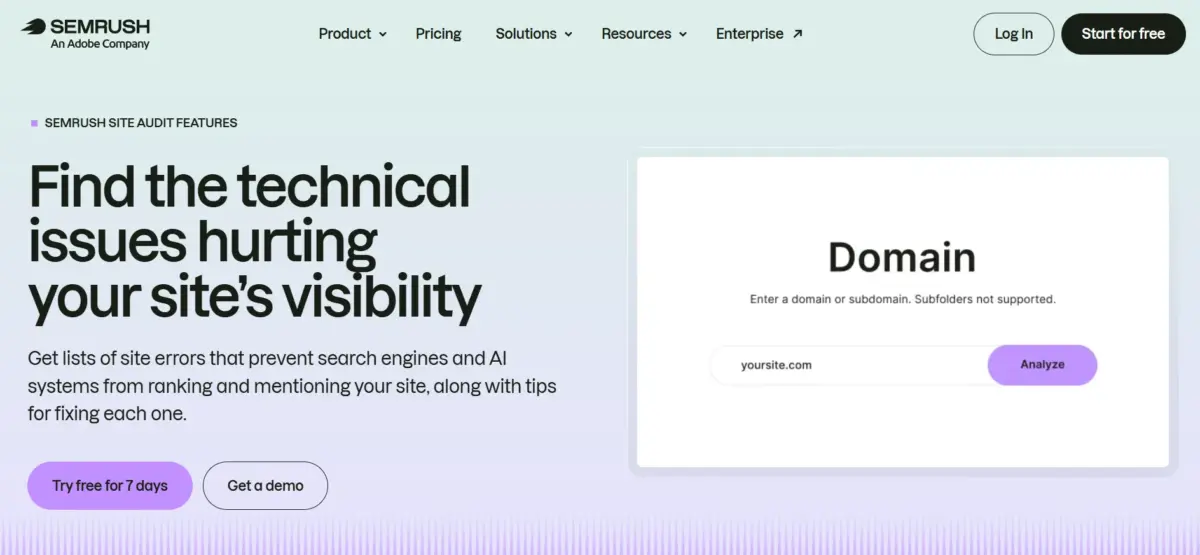
Results get sorted into errors, warnings, and notices, which makes prioritizing fixes straightforward. I always tackle errors first (broken links, missing titles), then move to warnings.
You can schedule audits to run automatically every week, which I do for my main sites. It means I catch new issues early instead of discovering them months later during a manual check.
Content Marketing Toolkit
This toolkit covers three tools I use regularly for content planning:
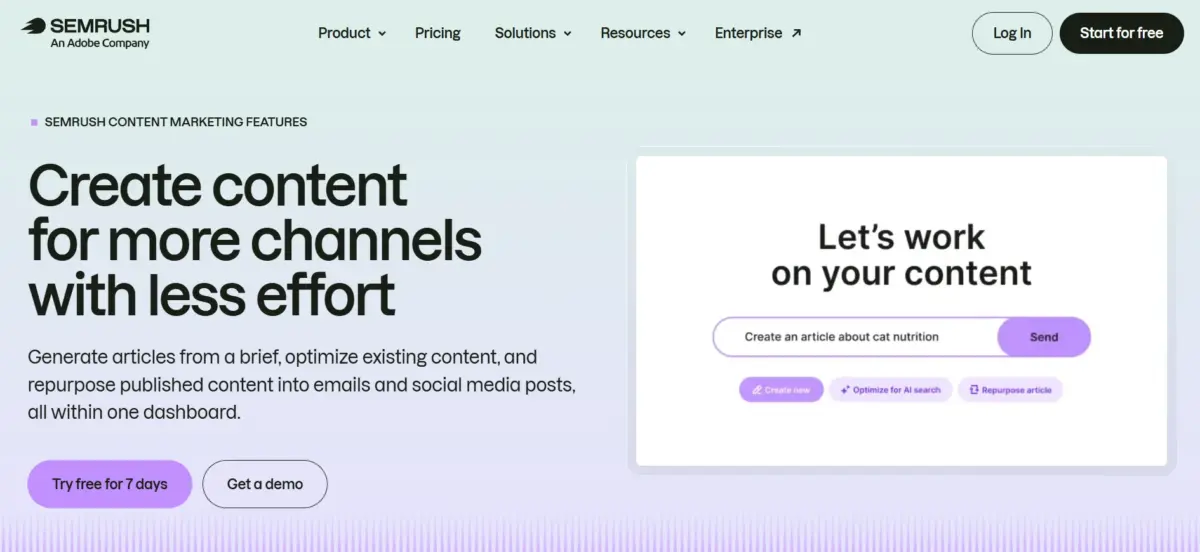
Topic Research helps generate content ideas based on what’s actually gaining traction in your niche.
SEO Writing Assistant gives real-time optimization scoring as you write, flagging readability, keyword usage, and tone.
ContentShake AI is Semrush’s AI-assisted drafting tool, useful for getting a first draft moving fast, though I always rewrite AI drafts heavily before publishing rather than using them as-is.
Together, these tools form a decent content workflow, from idea to draft to optimization, all inside one platform.
Keyword Magic Tool and Competitor Research
I still start almost every new project inside the Keyword Magic Tool. Type in one seed keyword, and it pulls back thousands of related terms, grouped into subtopics, with search volume, keyword difficulty, and intent all sitting right next to each phrase.
It’s not a new feature this year, but it’s the tool I open more than any other, and it hasn’t gotten worse with age. Competitor research works similarly well.
I can plug in a rival’s domain and see exactly which keywords they rank for that I don’t, along with their traffic estimates and top-performing pages. I use this constantly when I’m trying to figure out where a competitor’s traffic is actually coming from instead of guessing.
Combined with the Keyword Gap tool, which lines up my keyword rankings against up to four competitors side by side, I get a clear picture of where the real opportunities sit before I write a single word of content.
Backlink Analytics and Position Tracking
Nothing revolutionary changed here this year, but both tools remain reliable. Backlink Analytics lets you audit your own backlink profile and spy on competitors’ link sources, which I use constantly when building outreach lists.
Position Tracking monitors your keyword rankings daily across desktop and mobile, and you can segment by location, which matters if you’re targeting specific cities or countries.
Pricing in 2026
Here’s the current breakdown for the classic SEO plans:
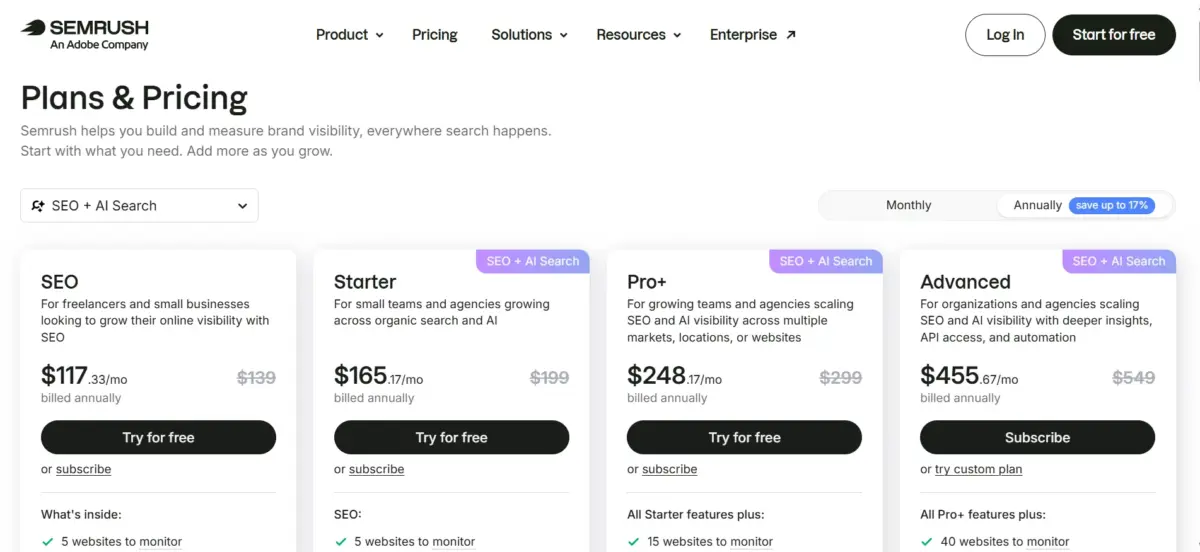
- Pro: $139.95/month, or $117.33/month billed annually. Good for solo users and small teams. Includes 5 projects and tracking for 500 keywords.
- Guru: $249.95/month, or $208.33/month billed annually. Adds the Content Marketing Toolkit, historical data, and multi-location tracking. Supports 15 projects and 1,500 tracked keywords.
- Business: $499.95/month, or $416.66/month billed annually. Built for agencies, with API access, Share of Voice tracking, and the highest limits across the board.
Semrush offers a 7-day free trial on paid plans, which is enough time to test the core tools but not much more. Watch out for add-on costs too: extra user seats run $45 to $100 a month each, and the Trends toolkit alone adds another $289 a month if you need it.
What I Like
Semrush’s data depth is genuinely unmatched in my experience. The Copilot feature has saved me real hours every week. The Site Audit tool catches technical problems I’d otherwise miss. And being an early mover into AI visibility tracking, even with some rough edges, puts Semrush ahead of most competitors who haven’t built anything comparable yet.
Honest Negatives
Pricing is steep, especially once you start stacking add-ons on top of a Guru or Business plan. A team of three on Guru can easily cross $400 a month once seat costs are added in.
The AI Visibility Toolkit, while promising, is still incomplete in places, so don’t expect it to fully replace a dedicated AI-search tool just yet.
And with Adobe now owning the company, I’ll be watching closely over the next year to see whether pricing, support, or product priorities shift as integration with Adobe’s ecosystem deepens.
FAQs: Semrush Review 2026
Semrush is now owned by Adobe, which completed its acquisition of Semrush Holdings on April 28, 2026, in a $1.9 billion all-cash deal. Semrush continues to operate under its own brand and serves its existing customer base, including smaller users, while integrating more closely with Adobe's Experience Cloud over time.
The classic plans (Pro, Guru, Business) focus on traditional SEO: keyword research, site audits, backlink analysis, and rank tracking. Semrush One bundles those same core tools with the newer AI Visibility Toolkit, which tracks how your brand appears in AI-generated answers from tools like ChatGPT and Gemini. If AI visibility matters to your strategy, Semrush One is the more complete option.
In my testing, the AI SERP Tracker and Brand Monitor tools gave genuinely useful, prompt-level insight into which brands get cited in AI answers. That said, some deeper features like AI-specific competitor research and topic analysis are still being rolled out, so treat the toolkit as a strong first step rather than a fully mature system yet.
The Pro plan at $139.95 a month covers the essentials, keyword research, site audits, and rank tracking, well enough for a solo user or small team. It's a real investment though, so if budget is tight, weigh it against cheaper alternatives like SE Ranking or Mangools before committing, and take advantage of the 7-day free trial first.
The Semrush name itself hasn't changed, but the company rebranded in March 2026 as a "unified intelligence engine" for brand visibility, reflecting its expanded focus beyond classic SEO into AI search and agentic search optimization. You'll see this new positioning across their site and marketing material, but the core product name remains Semrush.
Quick Links:
My Verdict: Semrush Review 2026
Semrush remains the best all-in-one platform I’ve used for SEO, content, and now AI visibility tracking. If your budget allows for Guru or above, it’s worth the investment, especially with the AI Visibility Toolkit factored in.
If you’re just starting out or working with a tight budget, Pro covers the essentials well, and you can always upgrade once you outgrow it.
16 Comments
Hey Kulwant,
It’s great to read another one of your indepth blogging reviews.
I’ve lately noticed some blogs in our blogging about blogging niche earning millions of pageviews per month, as opposed to mere thousands 🙁 So I’m thinking of getting SEMRush to improve the little things and reach big things.
Just annoying it costs $70 per month. It’s little money to pay for profitable traffic boosts but still, it costs way more than things like hosting and email sub services.
Will return to your review should I buy SEMRush. Hope all is well out there.
– My first blog comment on another blog in 2015 🙂
Greg
Happy to see you here, Greg.
Yeah, I love to write in-depth reviews only. 😉
SEMRush is really a big gun to do in-depth research about any niche or blog. I started using this in February, 2014 as I got one year account from them. Till now I have used it many times and got many profitable keywords as well backlinks from some good posts.
Yeah, $70 is bit high amount to afford. In my case I am paying $50 to Aweber, $30 for my net, $20 for proxies, $30 for hosting and many other small expenses every month. So adding this extra tool in $70/month might be difficult, but when you see the features and freedom after using this tool, $70 is nothing.
I would suggest to try 14 days trial and see if this works for you. 🙂
Have a great day.
Its not doubt that SEM RUSH is the best tool that helps in lots of things , but due to its price , not everyone can use this 🙂
Try 14 days trial. 😉
Hi Kulwant
It was nice experience to read this wonderful review of SEMRUSH but I think unless until we are not fully ready to explore the tool we should not rush to sign any such tool even though they are giving it for 14 day( trial) as these days will vanish very easily.
Rakesh, 14 days are more than enough to explore any tool if you are looking forward to buy it. In these 14 days you can explore it completely and see if this is suitable for you or not.
Hi Kulwant,
Thanks for the detailed review. To access the trial version you need to provide your credit card information. Considering the fact that the subscription is recurring, can I opt out after 14 days ? I am concerned if I don’t decide to use the tool after 14 days, and am unable to opt out, the subscription amount will be charged against my card.
Arpit Roy
Arpit, you can cancel the subscription anytime.
Semrush is the best competitor keyword research tool !!
thanks !
Yeah.. It reveals too many hidden things. 😉
Love the usefulness semrush provides. The most useful feature I found in semrush is showing long tail keywords that are driving most traffic to a webiste. This helps me in finding content that is driving a lots of traffic and all the keywords. Want to review ahrefs also by you. Let me know if you can?
Will plan the review soon.
Whenever I want to see the keyword worthiness or site traffic, I always head to semrush free tool. But it won’t give more than 10 results per day for free version.
Its really worthy if we have it our tool box but at the same time it is too costly comparing with other tools.
I have to give it a try once I reach minimum page views on my blog.
Better go for paid version if it’s helping you to build the business. 🙂
The only problem is if you cannot stop billing after 14 days?
DO you have any written guide on how-to stop the subscription after 14 days???
Thats would make most of the new bloggers to try it out for atleast 14 days.
Thank you.
You can raise a support ticket before 14 days to initiate the cancel.